
One inbox. And everything your business needs.
Email on your own domain, with outreach, AI, calendar, Drive, notes, discussions and video meetings in the same window. One login, no advertising, no profiling — from $2.50 per mailbox per month, billed annually.
No credit card · set up in under 10 minutes · answers in the chat, or email support
- No ads and no data mining
- Delivery through Amazon SES
- India, EU or US data region
- Mail threads, aliases, scheduled send
- Calendar booking links and tasks
- Drive 15 GB shared with your mail
- Outreach prospecting and campaigns
- AI Assistant on your own API key
- Discuss & Notes beside every message
- Video meetings 10 hours to start
- Security 2FA, E2EE, folder protect
- No ads and no data mining
- Deliverability through Amazon SES
- India · EU · USA data residency
- Your domain, your mailboxes
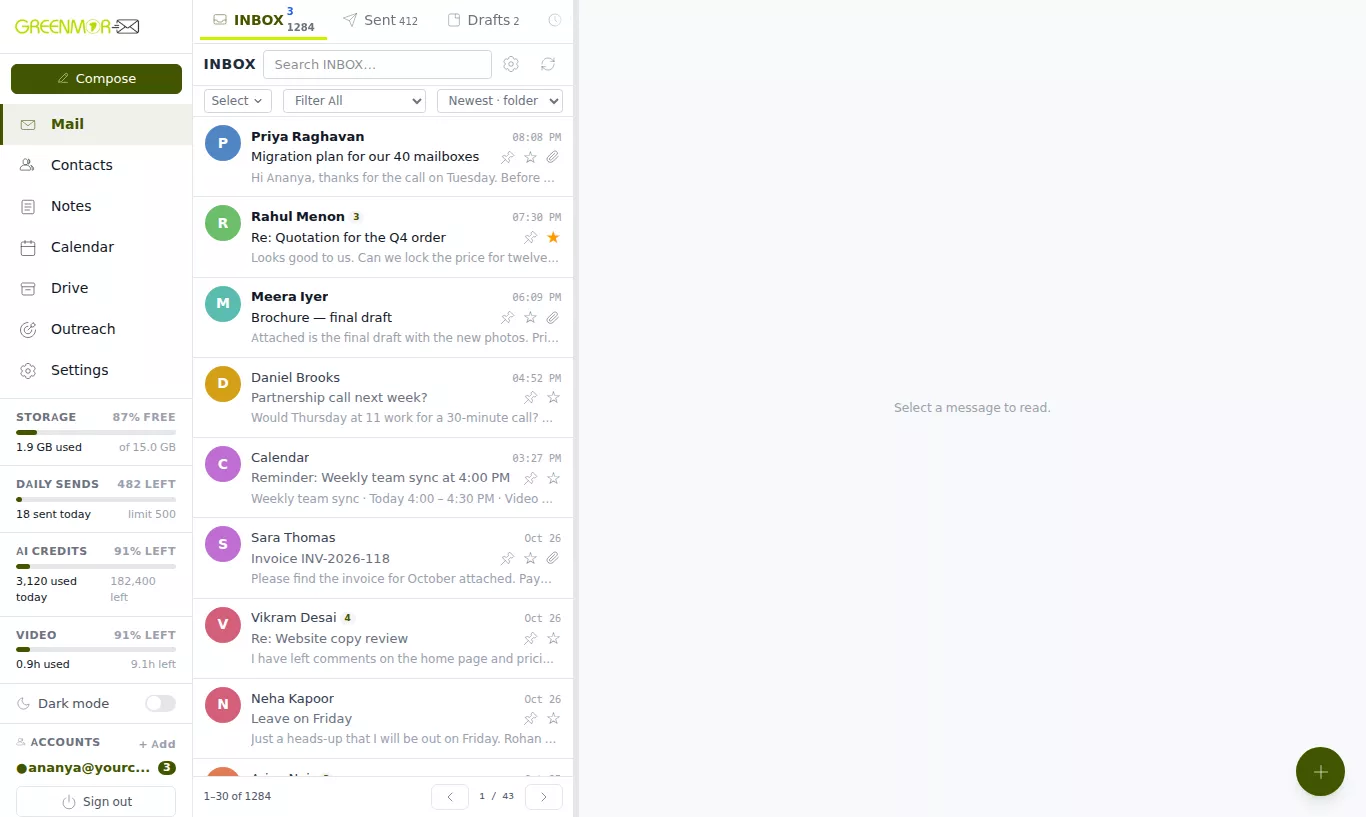
Mail — open a message, reply, send. This is the real webmail, running on sample data.
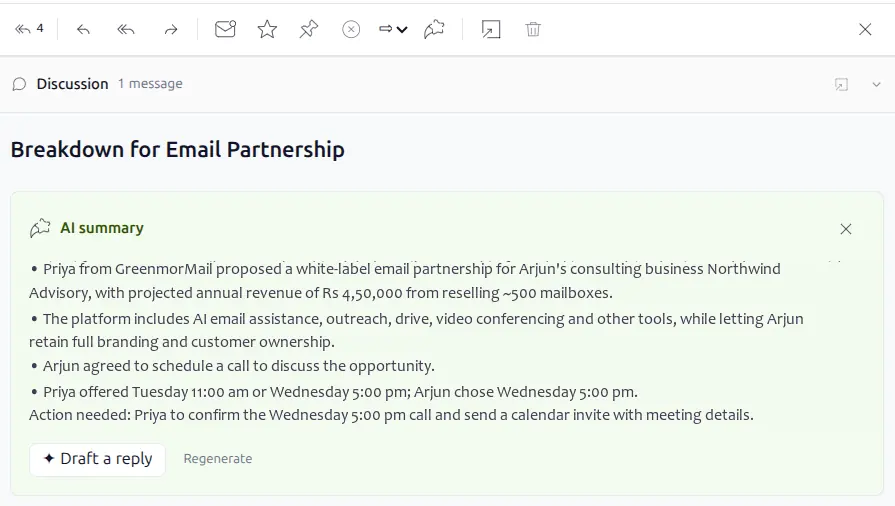
AI Assistant — AI summarise reads the thread, Draft a reply writes the answer.
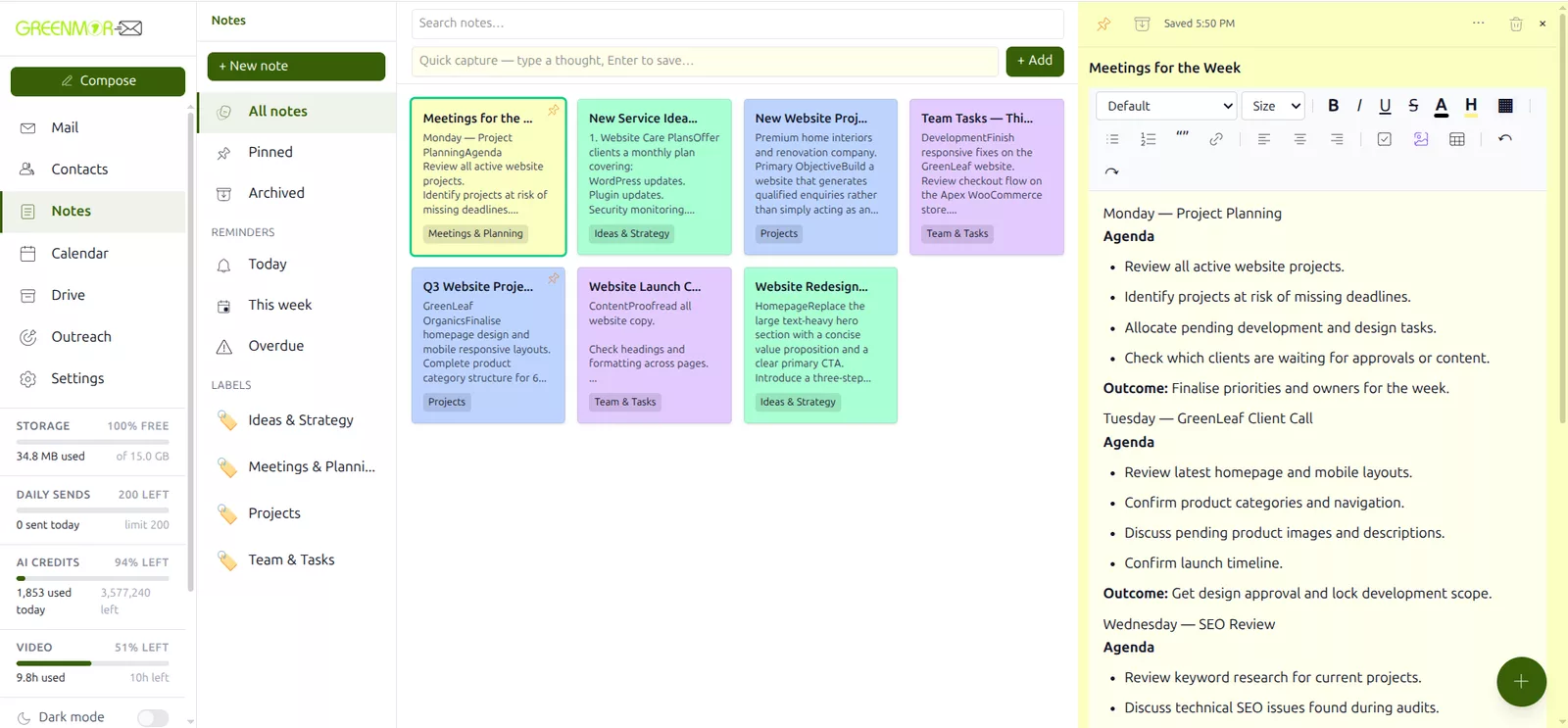
Calendar — click a free slot, name it, add a video link, save.
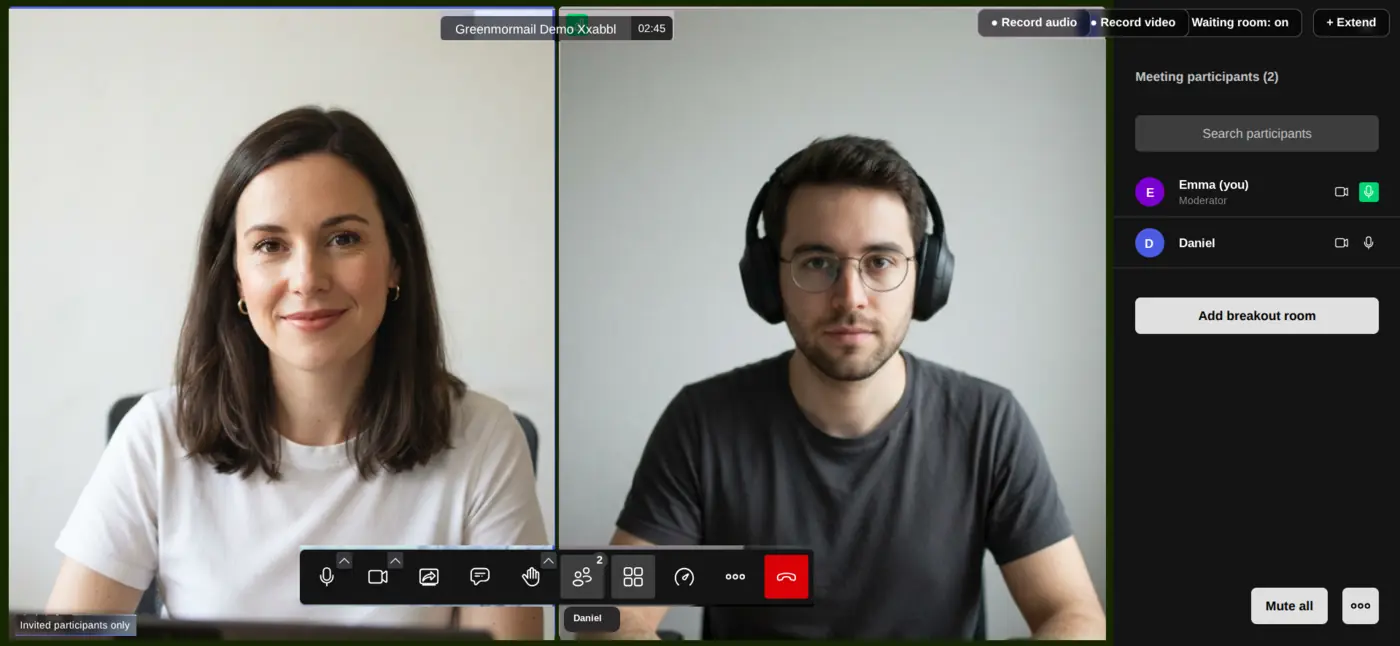
Video meetings — open the meeting from its event; guests join in the browser.
Drive — drop a file in, then share it with a link. Same 15 GB as your mail.
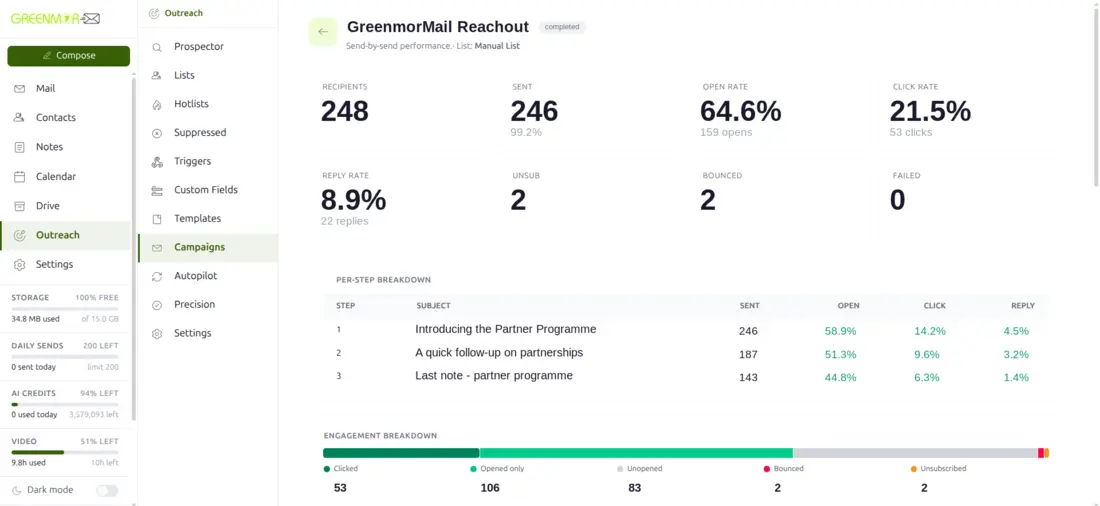
Outreach — every campaign shows its opens, clicks and replies, step by step.
Nine things you are probably paying for separately
Most businesses buy a mailbox, then a scheduling tool, then storage, then a meeting room, then a sending tool. Here they are one product, on one login, sharing one contact list and one 15 GB. Every card below opens a page with the real screens and a short tour.
Email that keeps up with you
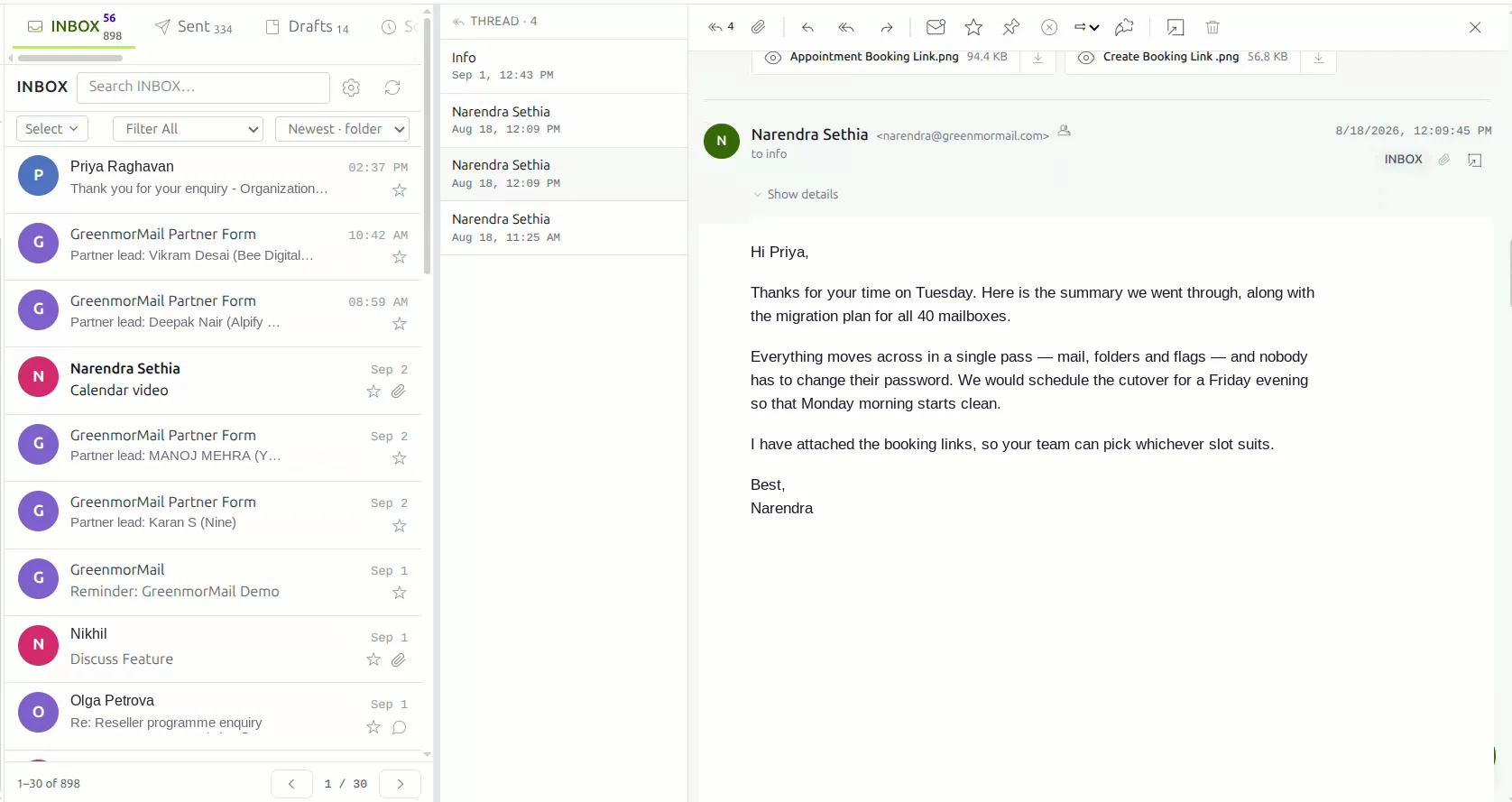
Threaded conversations, drag-and-drop filing and a composer that saves as you type. Schedule a message for tomorrow morning, and talk an email through privately with your team in Discuss, right beside it.
- Unlimited receiving aliases on your domain
- Several mailboxes signed in at once
- Attachments to 35 MB, larger files sent as Drive links
Campaigns from your own mailbox
Find prospects, build a multi-step sequence and let it run at a pace your domain can carry. Follow-ups stop the moment someone replies, and every step shows its opens, clicks and replies.
- B2B prospecting and verified list import
- Paced sending with suppression built in
- Per-step analytics
Summarise the thread, draft the reply
Summarise a thread, draft the reply, write an email from one line. Bring your own API key across eight providers with no markup, or buy credits from us.
- One-click thread summaries
- Reply drafts that open in the composer
- 200,000 AI tokens included
Booking links that only offer free time
Day, week, month and agenda views with reminders by notification and email. Share a booking link and people pick a slot that is genuinely free; the video meeting can be created with the invitation.
- Colour-coded categories and recurring events
- Tasks in the same views
- Reminders by notification and email
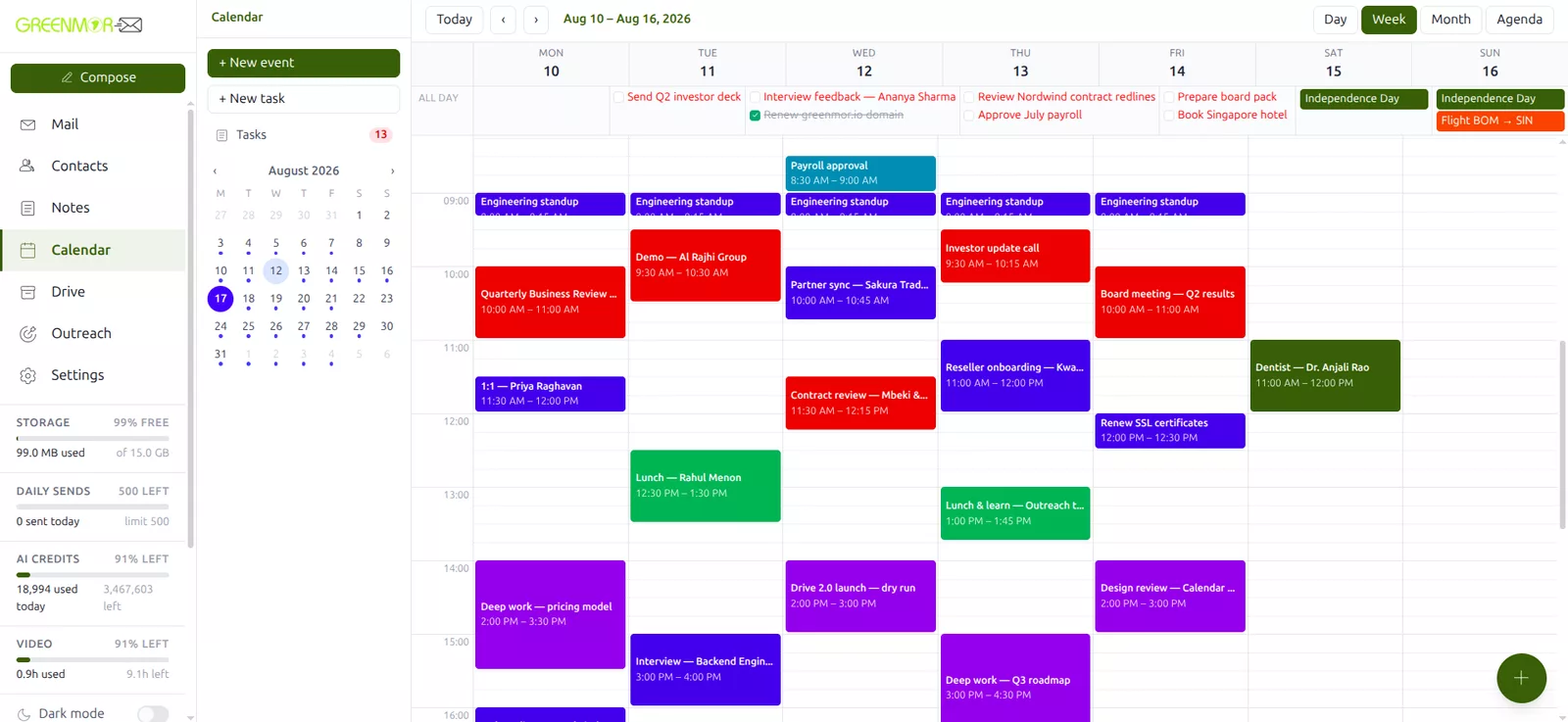
Files beside your mail
Drive shares the same 15 GB as your mailbox. Upload files up to 2 GB, have them scanned for malware, share a file or a whole folder by link, and open documents and spreadsheets in the browser.
- Resumable uploads to 2 GB a file
- Password-protected link and folder sharing
- Documents edited in the browser
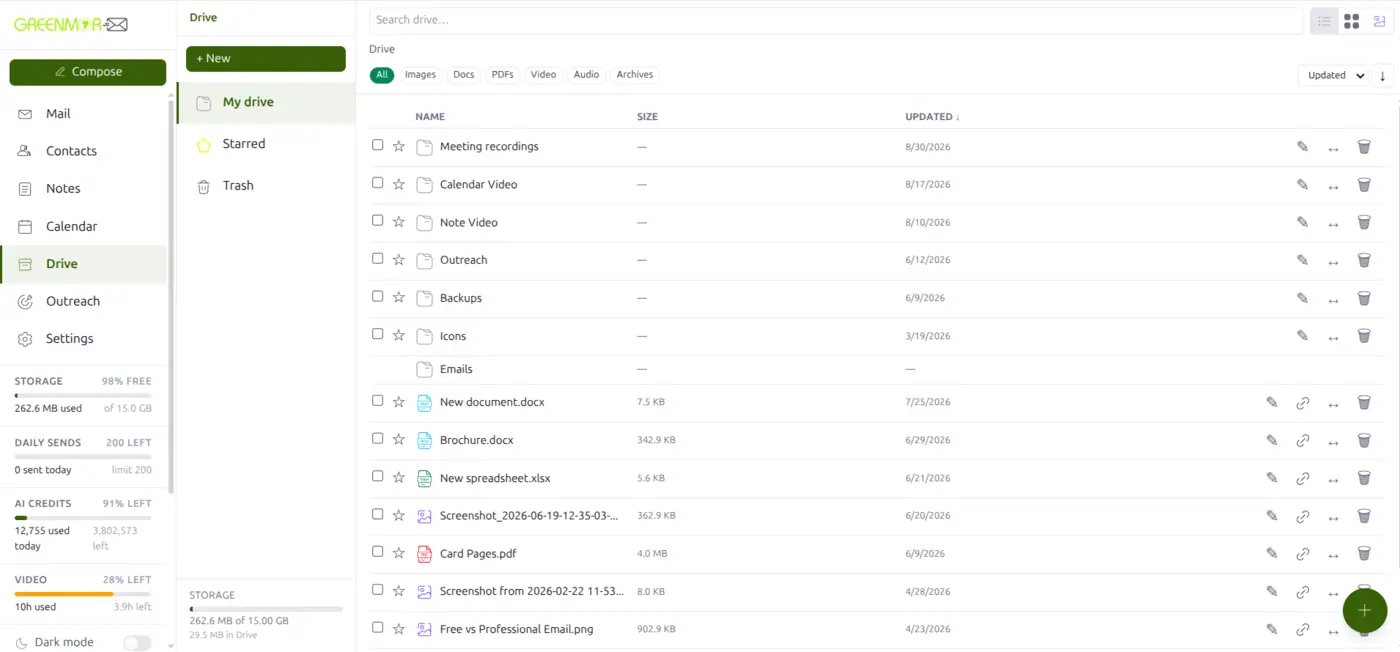
Talk an email through with your team
A private team conversation attached to one email, visible only to your side. No reply-all chains, no forwarding — and the sender never sees it.
- Attached to the email it is about
- Only the people you add can see it
- Nothing is ever sent to the sender
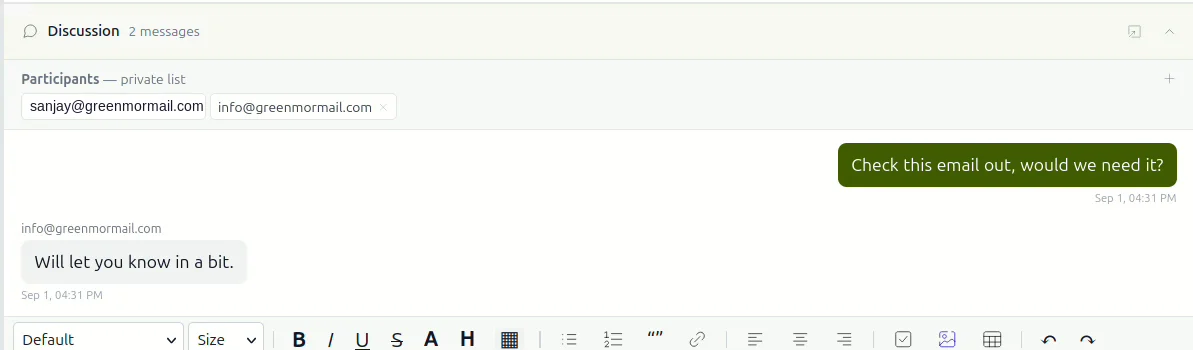
Catch a thought without leaving your mail
Quick capture, a rich editor with no save button, labels and reminders — and a note that can leave as an email or become an event.
- Autosave with the time shown
- Reminders by notification and email
- Send a note as an email
Meet without another app
A meeting is created with the calendar invitation, not a pasted link. Guests join in the browser with no account, and recordings land in the organiser’s own Drive. Every account starts with ten free hours.
- Guests join in the browser
- Moderator controls and screen sharing
- Recordings saved to your Drive
Locked down without getting in the way
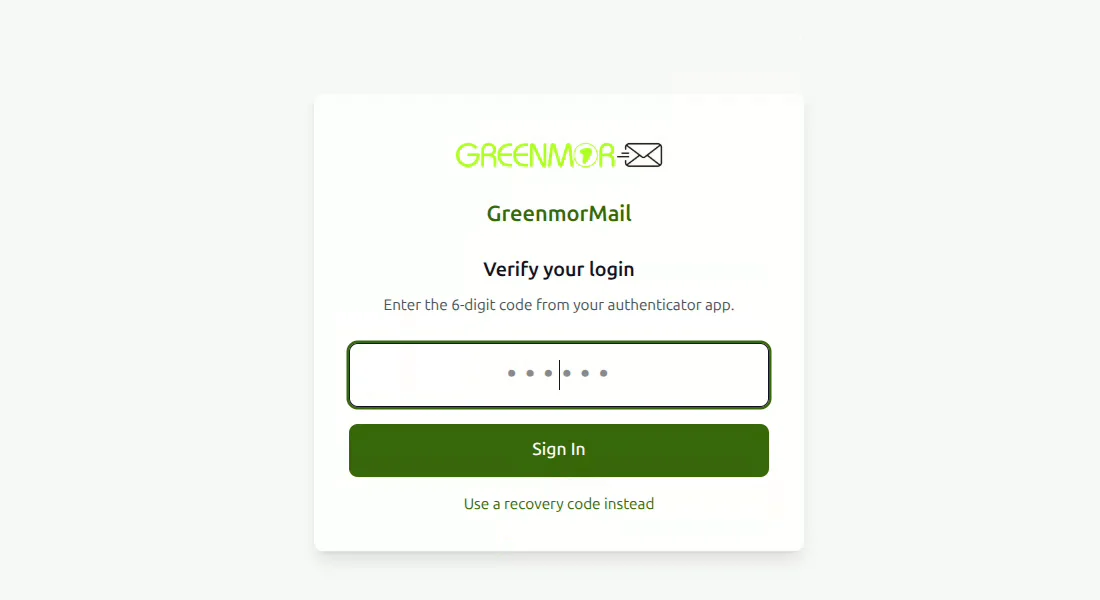
Two-factor with recovery codes, OpenPGP encrypted mail, spam and virus filtering, and folders you can lock behind a second password or hide entirely.
- Two-factor authentication with recovery codes
- Spam and virus filtering on arrival
- Folders locked behind a second password, or hidden
Contacts and GMOffice documents — Word files, spreadsheets and PDFs that open and edit in the browser — are part of the same mailbox too. See every feature on one page →
The list, in full
No feature matrix, no “available on the higher plan”. Every mailbox gets all of this. Storage, daily sending and meeting hours are the only things you ever add.
- Premium deliverability through Amazon SES
- Unlimited aliases on your domain
- Threaded conversation view
- Scheduled send, queued on the server
- Drag and drop filing and attachments
- Account switching between mailboxes
- Add external Gmail, Outlook and IMAP accounts
- 35 MB attachments, larger files sent as Drive links
- Ad-free, with no profiling of your mail
Security & access
- End-to-end encryption (OpenPGP, optional)
- Two-factor authentication (2FA) with recovery codes
- Robust spam and virus filtering
- Folder protect — lock or hide any folder
- Unlimited domain connections
- IMAP and SMTP for any mail app
- Installable web app, from any browser
- Bulk IMAP import from your old provider
- Branded, white-label webmail for resellers
The boring parts, done properly
Your mailbox is how every other account you own gets recovered, and how your customers reach you. So the things nobody puts on a feature list — whether your mail arrives, who can read it, where it lives — are the things we spend the most time on.
It arrives
Sending goes out through Amazon SES, and SPF, DKIM and DMARC are set up for your domain as part of adding it — the three records that decide whether your mail reaches the inbox or the spam folder.
It stays where you put it
Pick India, the European Union or the United States when you sign up, and your mailboxes and
files live in that region. Your domain stays yours, and you can export everything to standard
.mbox archives whenever you want.
Only you get in
Two-factor authentication with recovery codes, OpenPGP encryption for the messages that need it, spam and virus scanning on everything that arrives, and folders you can lock behind a second password. How security works →
Nobody is reading it
No advertising anywhere in the product and nothing in your mailbox read to build a profile of you. You pay for the service, so you are the customer rather than the inventory.
Four steps, about ten minutes
You do not have to move your mail on day one. Set the account up, try it, and switch over when you are ready.
-
1
Create your account
Sign up with your name and an email address. No card, and nothing to install.
-
2
Add your domain
We show you the exact DNS records to paste at your registrar, then verify them for you.
-
3
Create your mailboxes
One per person, plus the aliases — sales, support, billing — landing wherever you want them.
-
4
Start using it
Sign in on the web, your phone or your mail app. Bring your old mail across over IMAP when it suits you.
Stuck at any step? The assistant in the corner answers most of it instantly, and support@greenmormail.com picks up the rest. Read the setup guides →
Pay only for what matters
One plan with the whole suite in it, billed annually. Storage, daily sending and meeting hours are the only things you add — per mailbox, not per organisation, so one heavy user does not upgrade everybody.
per month,
billed annually
Everything on this page is in that price. 15 GB of storage shared by mail and Drive, 100 emails a day, 200,000 AI tokens and 10 hours of video meeting, on every single mailbox.
Start your 14-day free trialEstimate your annual cost
White-label reseller
Sell the whole suite as your own — your brand and domain on the webmail and web app, your pricing, your customers, and the option to bring your own SMTP server, database, or both. One-time fee, dedicated onboarding.
Choose where your data sits
Your choice, made when you create the mailbox. No extra complexity, no migration afterwards.

Europe
GDPR-aligned hosting inside the EU, for European teams and international businesses.

USA
US-based hosting for North American businesses and teams.

India
Data hosted within India. For Indian businesses with local compliance requirements.
How we compare
Pick whoever you are weighing us against. The rows are capabilities rather than marketing, and the note underneath each comparison says plainly why teams move to us from that provider.
| Capability | GreenmorMail | Google Workspace |
|---|---|---|
| Cold outreach and prospecting in the mailbox | Yes | Not offered |
| Private team discussion on a single email | Yes | Not offered |
| Lock or hide a folder behind a second password | Yes | Not offered |
| AI that runs on your own API key, at cost | Yes, eight providers | Gemini, their own models |
| Storage and sending set per mailbox | Yes | Per plan tier |
| Video meetings made with the calendar invitation | Yes, paid add-on | Google Meet |
| Choose your data region | India, EU, USA | Higher plans only |
| Resell under your own brand | Yes | Not offered |
| End-to-end encryption | Optional, OpenPGP | S/MIME, higher plans |
| Works with Outlook, Apple Mail and any IMAP client | Yes | Yes |
| Try before you pay | 14 days, no card | Trial, card required |
Workspace prices in a full office suite whether or not you use it, and the things this page is about — outreach, a private discussion on a message, a folder you can lock — are not in it at any tier. There is also the question of whose building your mail sits in: Google says Workspace content is not used for advertising, and we have no reason to doubt it, but advertising is still the group’s business and choosing which country your data lives in is a higher-plan feature there. Here the region is a choice you make on day one, your subscription is the only revenue we have, and nothing in your mailbox is read to build a picture of you.
Based on each provider’s standard business plans as published by them, and subject to change without notice — check their current terms before you decide. If something here is out of date, tell us and we will correct it.
Two ways in, depending on what you need
Setting up a mailbox
Start the trial — it takes about ten minutes and there is nothing to arrange. The assistant in the corner of this page answers setup, DNS, migration and billing questions straight away, and support picks up anything it cannot.
Or email support@greenmormail.com
Buying for a team, or reselling
Migrating a whole organisation, rolling out dozens of mailboxes, or white-labelling the suite for your own customers? That deserves a conversation. Book 30 minutes with the people who build and run this.
That booking page is our own Calendar product, on a GreenmorMail mailbox.
Find quick answers to common questions
What do I need to create a mailbox?
A domain you own. GreenmorMail is business email on your own domain, so you attach the domain and we show you exactly which DNS records to add. If you cannot reach your registrar, our support team will tell you precisely what to ask for.
Can I use the mailbox to send campaigns?
Yes. Outreach is built into the mailbox: find prospects, design a multi-step campaign and send sequences that stop the moment someone replies. It is bound by our Anti-Spam Policy and by a daily sending limit on every mailbox, both of which exist to keep your domain deliverable.
Will I be able to sign up for Google services with this email?
Yes. You can use your custom address to sign up for Google services like Analytics or Search Console — those need a Google account, not a Gmail mailbox.
How do I set up my email?
Create your account, add a domain, create your mailboxes and sign in. It usually takes about ten minutes. The assistant on this page will walk you through any step of it, and support can take over if you would rather not do it yourself.
Can I increase storage and sending limits?
Yes, and per mailbox rather than for everybody. Once your mailboxes exist you can add storage in 15 GB blocks and raise the daily sending limit on the ones that need it. Billing is annual.
Can I access my email on Outlook, Thunderbird or Apple Mail?
Yes. Connect over IMAP and SMTP, and Settings › Mail App Setup shows you the exact host, ports and security to type in for the region your mailbox lives in. The web app can also be installed straight from a mobile or desktop browser.
Is there a mobile app?
There is a web app you install straight from your phone’s browser — the full mailbox, calendar, Drive and notes, with no app store in the way. You can also use any mail app you already like over IMAP.
Is my email secure and private?
Mail is filtered for spam and viruses on arrival, sign-in can be protected with two-factor authentication and recovery codes, messages can be encrypted with OpenPGP keys generated in your browser, and folders can be locked or hidden. There is no advertising and no profiling, and we do not sell or share your data.
Can I import emails from my old provider?
Yes. The migration tool imports over IMAP in bulk — one mailbox or a whole organisation in one go — and keeps the original dates, so your archive still reads in order instead of all arriving today. Support will run it with you if you prefer.
What happens at the end of the 14-day trial?
Nothing automatic. The trial runs 14 days with the whole suite on your own domain and no card needed to start. If you decide against it you do nothing and it stops; if you continue, billing is annual and per mailbox.
Built for your business growth
14 days free. No credit card. Set up in under ten minutes, with the assistant on hand for every step.
Works with Outlook · Apple Mail · Thunderbird · any IMAP client