
Your Files, Where Your Mail Already Is
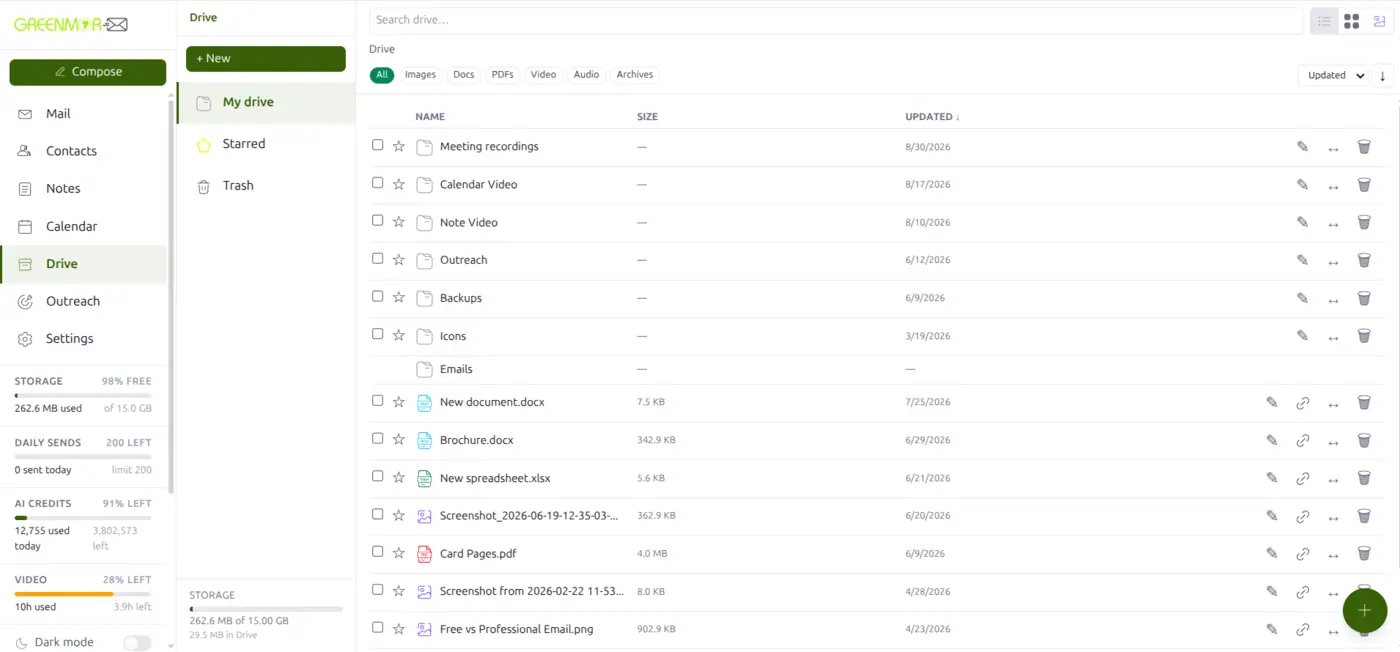
Quotations, brochures, photographs, recordings, the spreadsheet everyone keeps asking for — they end up scattered across old attachments, somebody’s laptop and a cloud drive you pay for separately. GreenmorMail Drive keeps them in the same window as your mail, on the same login, sharing the same 15 GB. Documents and spreadsheets open and edit right there in the browser, and anything can go out as a link instead of an attachment.
- 15 GB shared with your mailbox
- Edit documents in the browser
- Every upload virus-scanned
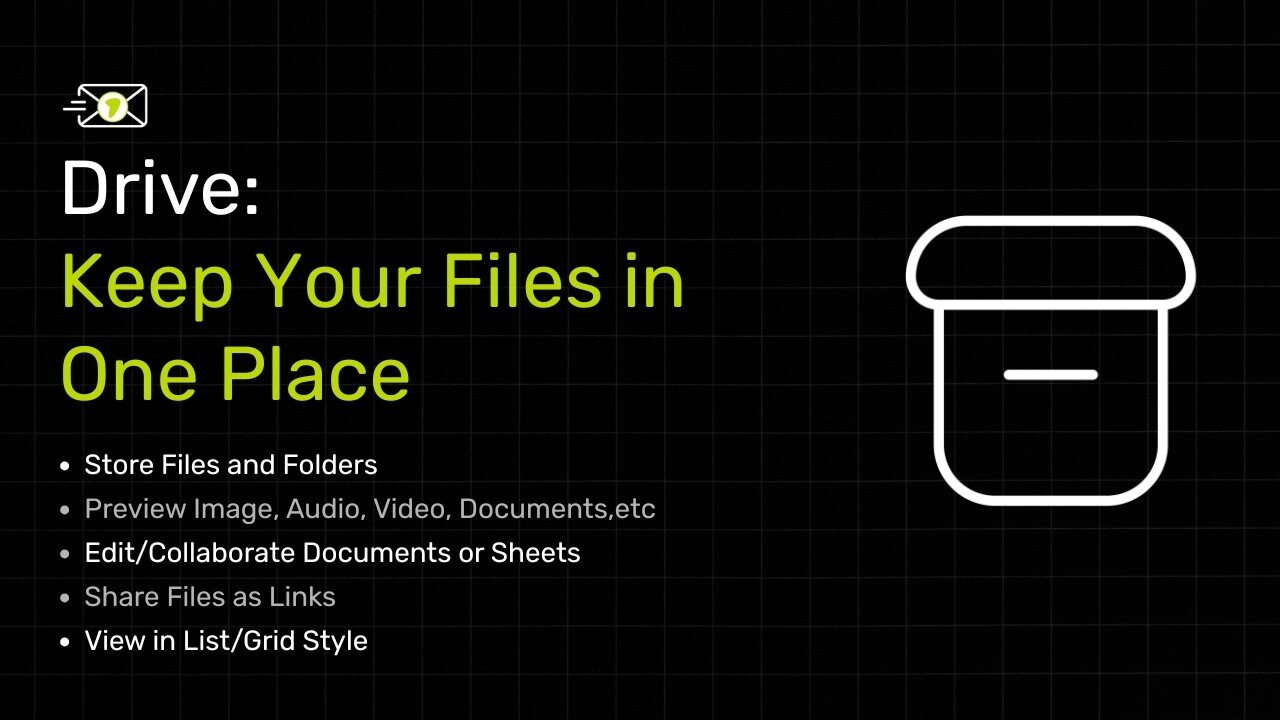
The Whole Of Drive In A Minute And A Half
Uploading and filtering by kind, the list and the grid, taking several files at once, sending a link with editing and an expiry date, and a Word document and a spreadsheet opening and being edited in the browser — every screen here is the real product.
1:35 · no sign-up needed to watch
A Separate Cloud Drive Is A Second Bill And A Second Login
Most small teams are already paying for storage twice — once inside the mail plan they never use, and once again for the drive they actually work in. Drive removes the second one.
One Login, One Window
Drive is an app in the same window as Mail, Calendar, Contacts and Notes. No second account to create, no second password to keep, nothing to keep in sync between two places.
One Pool Of Storage
Your mailbox and your Drive draw on the same 15 GB. Nothing is stranded in a quota you cannot use for the thing you actually need space for today.
Nothing To Install
No desktop sync client, no plug-in, no separate app on the phone. It is a browser tab you already have open, which also means nothing to roll out to the rest of the team.
Scanned On The Way In
Every file is checked for malware as it is uploaded, on every route into Drive. An infected file is refused rather than quietly stored for somebody to open later.
Anything You Like, Up To 2 GB A File
Documents, images, PDFs, video, audio, zip archives — Drive does not care what it is. Large files upload in 8 MB pieces, so a slow line or a dropped connection does not mean starting again from the beginning.
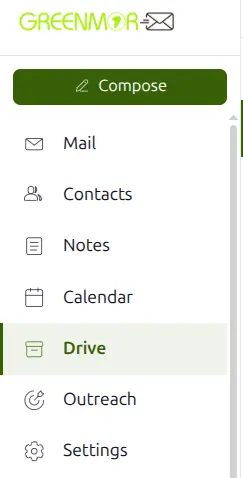
It Is One Of The Apps, Not Another Tab
Drive sits in the rail beside Mail and Calendar. You are already signed in, already in the right account, and already looking at the right company’s files.
- Same login as your mailbox
- My drive, Starred and Trash
- Folders, nested as deep as you need
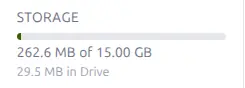
One Pool, Shared With Your Mail
The meter counts your mailbox and your Drive together against the same 15 GB, and shows how much of it Drive is using. There is no separate storage plan to buy, and no way to run out of Drive space while a mail quota sits empty beside it.
- 15 GB with every mailbox
- Mail and Drive on one meter
- More available as an add-on if you need it
Three Weeks Later, You Only Remember Roughly What It Was
Which is the normal case, and why Drive gives you a search box and a row of filters rather than expecting you to have filed everything perfectly at the time.

Search, Or Narrow It By Kind
Type a few letters to search by name, or tap a single filter to see only images, only documents, only PDFs, only video, only audio or only archives. The two work together, so you can search inside one kind of file.
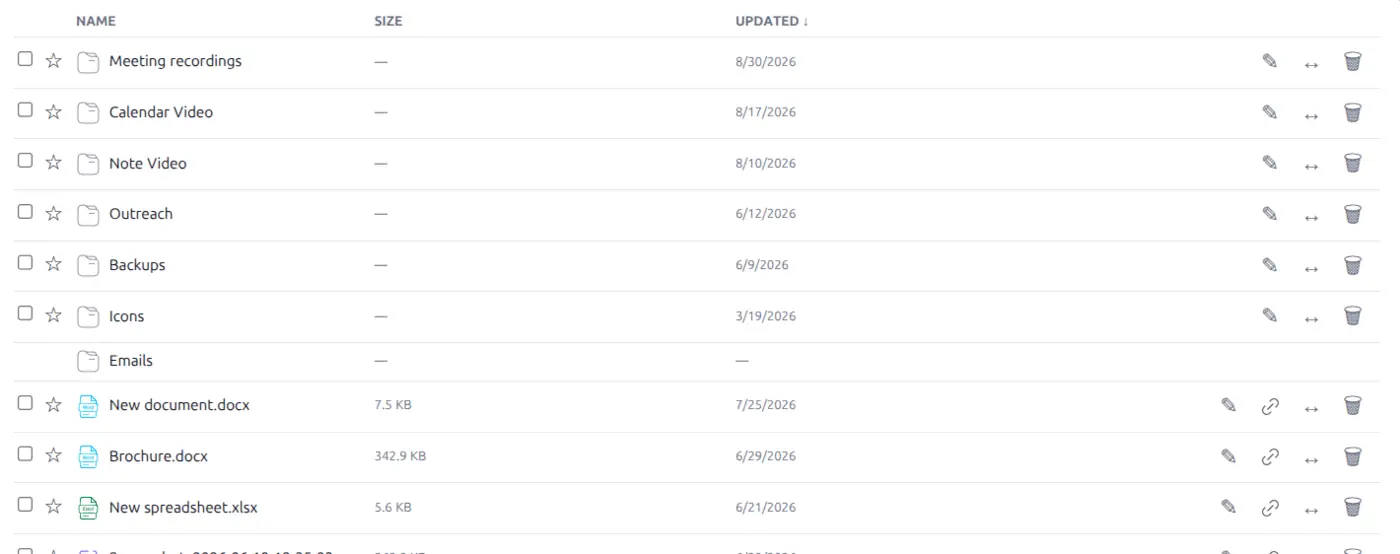
Name, Size, And When It Last Changed
Sort by whichever column answers the question you are actually asking — the newest thing, the biggest thing, or alphabetically when you know roughly what it was called. Star the handful you keep coming back to and they collect under Starred.
- Sort by name, size or date
- Star the ones you keep returning to
- Download, share, move or delete from the row
Sometimes You Are Reading, Sometimes You Are Looking
A list is right for documents you know by name. A grid is right for the screenshot you would recognise instantly but could not name if your life depended on it.
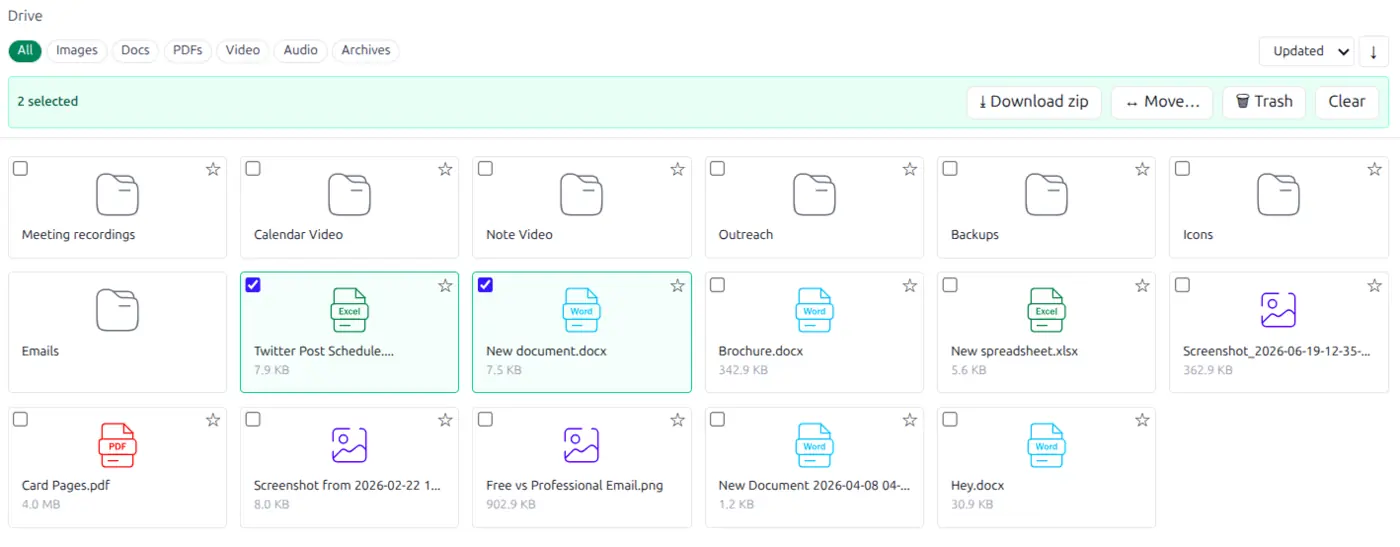
Switch To A Grid And Scan It
The same files, laid out as tiles with their type marked, so you can find things by shape and colour instead of reading every line. The filters and the sort order carry across both views.

Do It To Several At Once
Tick as many as you want and act on the lot: download them together as a single zip, move them into a folder in one go, or clear them out. Useful when somebody asks for “everything from that project” and you would rather not send eleven separate attachments.
- Download a selection as one zip
- Move several into a folder together
- Trash in bulk, and recover from Trash
The Part That Saves The Most Time
A document normally means downloading it, opening something else, editing, saving, and uploading it back — four steps around the one you wanted. In Drive the file simply opens, in the browser, in an editor that can actually change it.
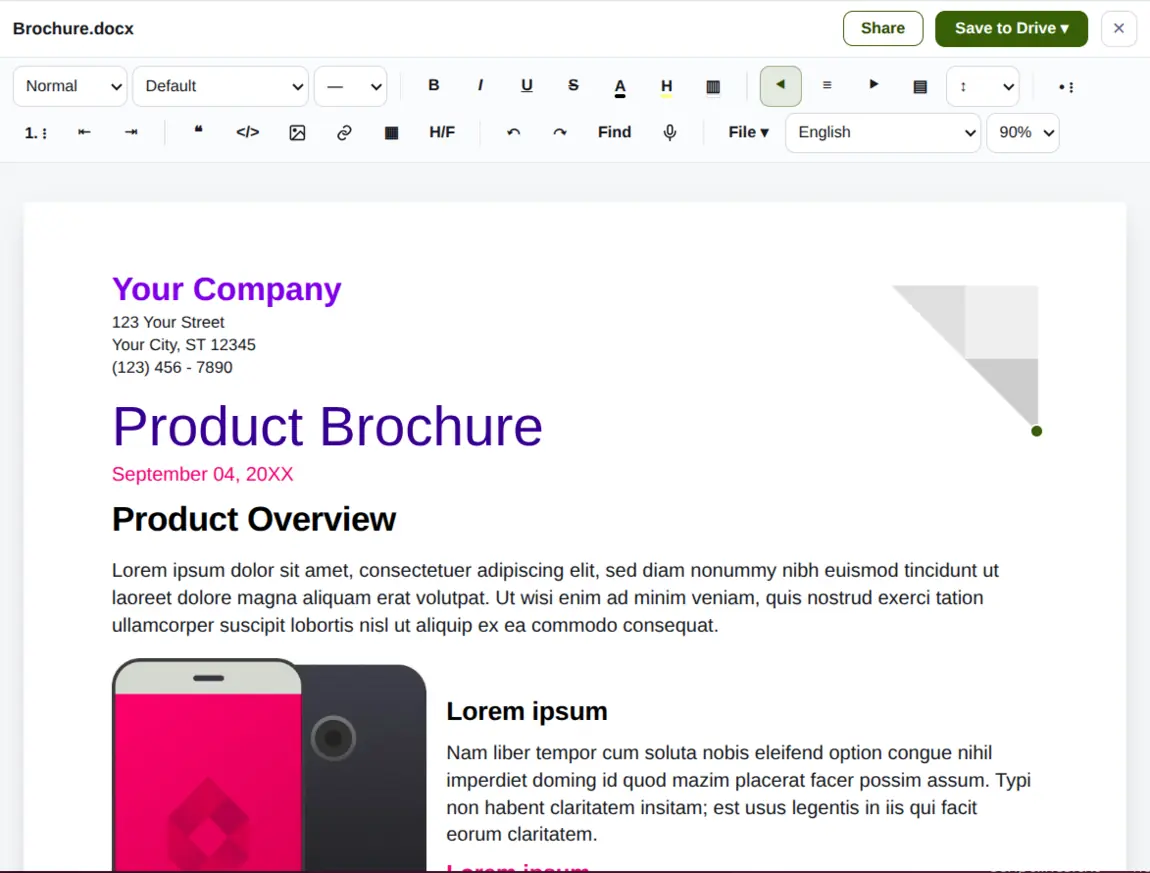
Word Documents Open Right Here
Click a .docx and it opens in place, formatting intact — headings, styles, tables and images as they were. Nothing to download first, nothing to install, and the file you edit is the file in your Drive rather than a copy on somebody’s machine.

A Real Editor, Not A Preview
Paragraph styles and fonts, bold and italic, colour and highlight, bulleted and numbered lists, quotes and code, images, links and tables, headers and footers, find and replace, even dictation. When you are done, save it straight back to Drive.
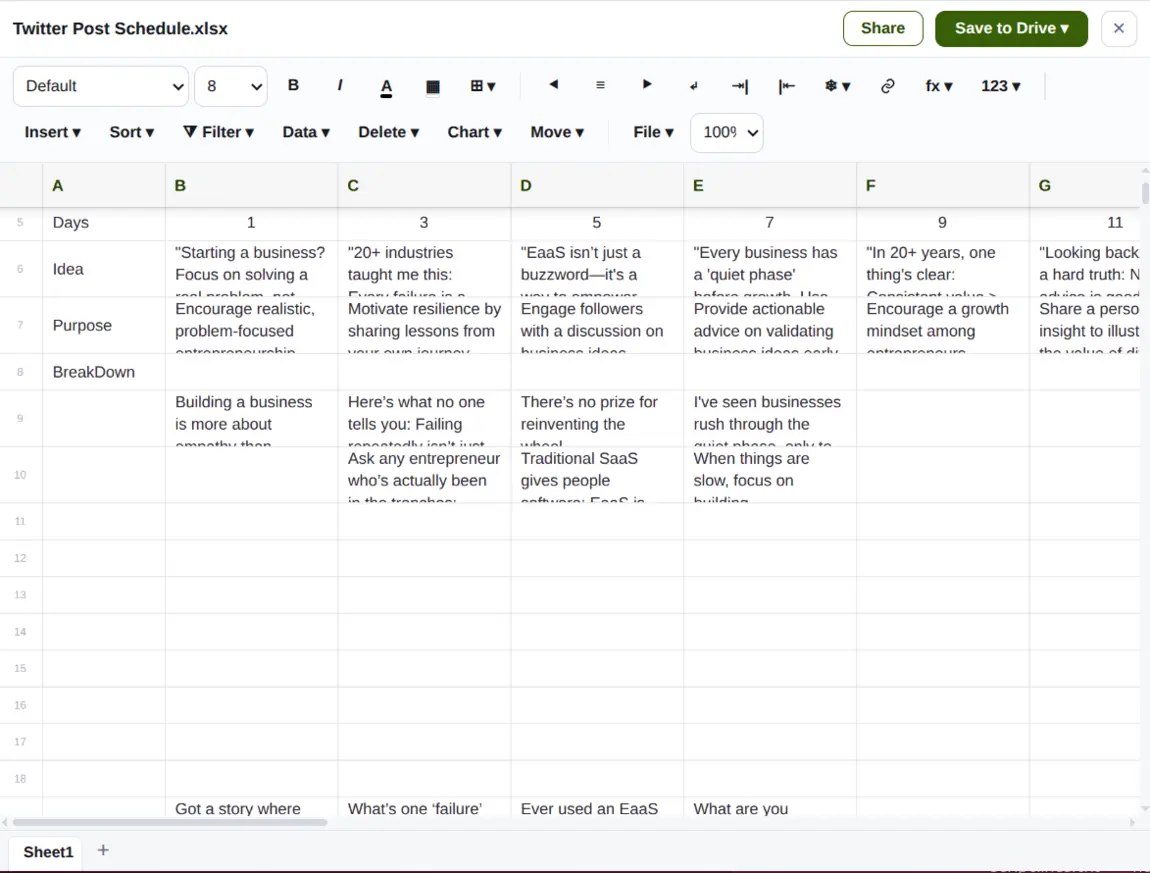
Spreadsheets Work The Same Way
Your columns, your formulas and your sheet tabs, exactly as you left them. Open the .xlsx, change what needs changing, and save it back — no export, no re-import, no second copy drifting out of date in somebody’s downloads folder.

Formulas, Sorting, Filters And Charts
Number formats and cell styling, borders and alignment, frozen rows, sorting and filtering, formulas in the bar, and charts from a selection. The ordinary spreadsheet work most businesses actually do, without a desktop licence for each person doing it.
Send A Link, Not An Attachment
An attachment is a copy: it leaves your control the moment it is sent, it cannot be corrected, and a big one may not arrive at all. A link stays yours, and you decide how long it lasts.
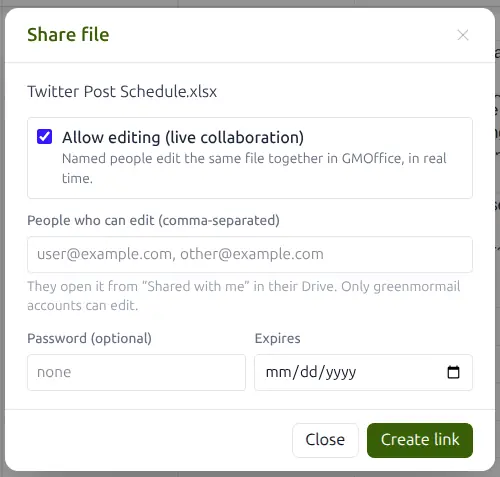
You Decide Who, And For How Long
Create a link to a file or to a whole folder. Tick allow editing and name the people who may change it, and they work on the same document as you, live, rather than emailing versions back and forth. Add a password if it is sensitive, and a date after which the link simply stops working.
- Share a single file or an entire folder
- Named people can edit the same file together
- Optional password, optional expiry date
- Recipients can download a shared folder as one zip
Sharing works in the other direction too: when something is too large to attach to an email, GreenmorMail offers to send it as a Drive link instead of failing the message. And a recording of a video meeting is saved to the organiser’s Drive, where it can be shared the same way as anything else. See Mailbox and Calendar.
Frequently Asked
Is Drive an extra I have to pay for?
No. Drive comes with every GreenmorMail mailbox, and the storage it uses is the same 15 GB your mail already has. There is nothing to switch on per user and nothing to add to the bill. If you do run out, more storage is available as an add-on, but most businesses never reach it.
How big a file can I upload?
Up to 2 GB per file. Anything over 8 MB is uploaded in pieces rather than in one go, which is what makes large uploads survive a slow or interrupted connection — it picks up where it stopped instead of starting the whole file again.
Does Drive share storage with my mailbox?
Yes, deliberately. One 15 GB pool covers both, and the meter in the sidebar shows the total and how much of it Drive is using. It means a big month of email does not leave you unable to upload, and a large file does not have to be deleted to receive mail. Note that files in Trash still count until the Trash is emptied.
Can I really edit Word and Excel files in the browser?
Yes — properly edit them, not just look at them. A .docx opens with its formatting intact in an editor with styles, tables, images, links, headers and footers and find-and-replace; an .xlsx opens with its formulas and sheet tabs in one with sorting, filtering, number formats and charts. You save straight back to the same file in Drive.
Do the people I share with need a GreenmorMail account?
To open a shared link, no — anyone with the link can view or download, and a shared folder can be downloaded as a single zip. To edit a file alongside you, yes: live co-editing is limited to the GreenmorMail accounts you name, because the edit has to be attributed to somebody.
Can I stop a link working later?
Yes. Give the link an expiry date when you create it and it stops working on its own, or delete the link at any time and it stops immediately. You can also put a password on it, which is worth doing for anything you would not want forwarded on.
Are uploads checked for viruses?
Yes. Every file is scanned as it arrives, on every route into Drive, and an infected file is rejected rather than stored. The same scanning is applied to incoming mail attachments, so a file cannot get in by the side door either.
What happens to my files if I stop paying?
Nothing sudden. A mailbox that lapses keeps its data through the retention period before anything is removed, and you can download everything in the meantime — including whole folders as a zip. Your files are yours, in their original formats, not locked into ours.
The Rest Of The Suite
Drive shares the window with all of these — the same login, the same contacts and the same 15 GB.
Stop Paying For Storage Twice
Start a 14-day free trial, drag in the files you actually work with, and send somebody a link instead of a 30 MB attachment.