
A business mailbox that works the way you already do
Conversations that stay together, filing by drag and drop, mail written now and sent on Monday, aliases that cost nothing, your other accounts pulled in, and a one-click export of everything you own. All in one window, on one login.
- 15 GB shared with Drive
- No ads, ever
- Export your mail any time
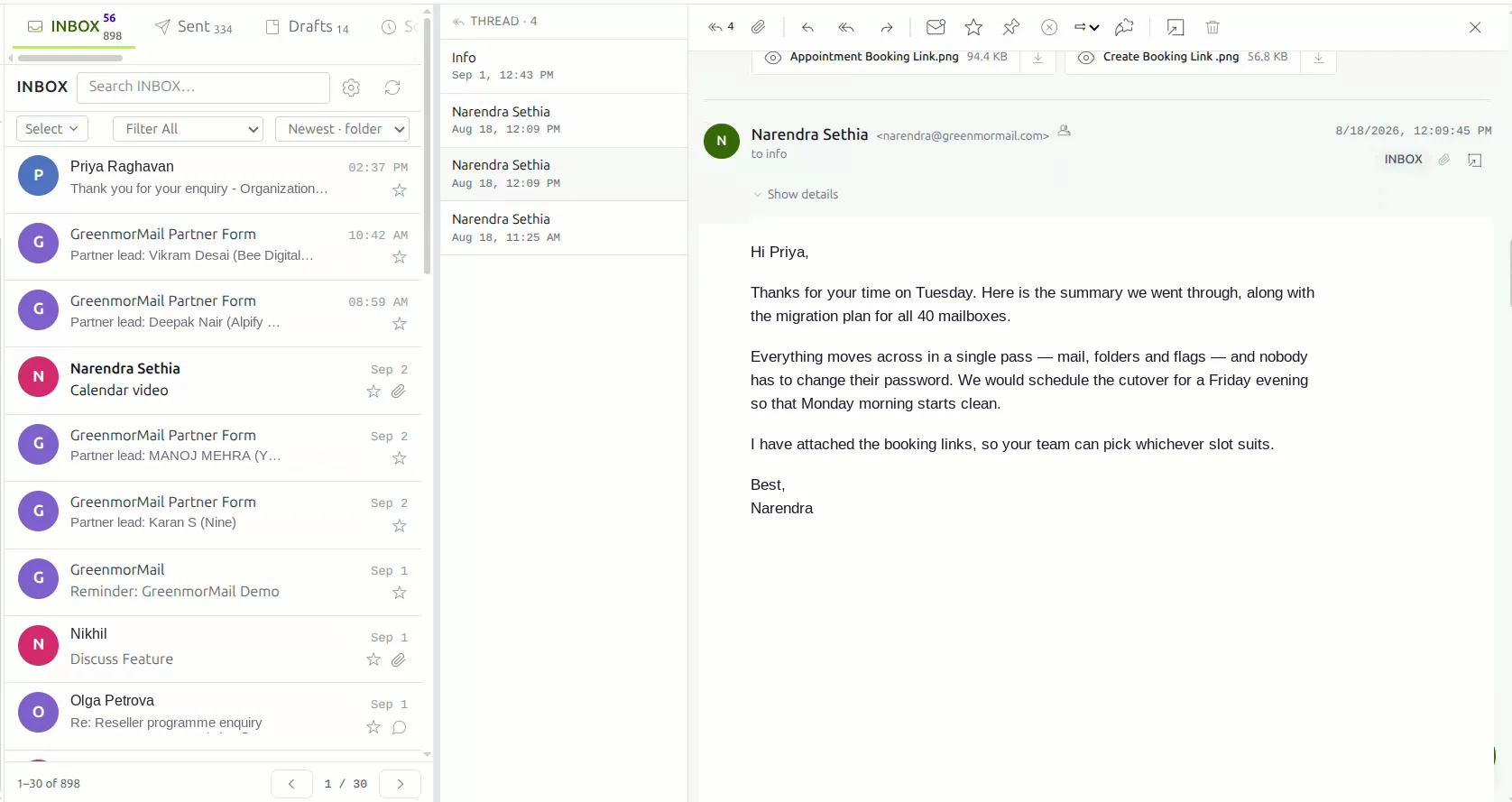
The whole mailbox, in a little over two minutes
Threading, filing, writing, scheduling, aliases, connected accounts and backup — every screen in this video is the real product, not a mock-up.
2:14 · no sign-up needed to watch
The ordinary things, done properly
Most of a working day is just email. These are the parts you touch a hundred times a week — so they are the parts worth getting right.
Threaded conversations
A reply joins the exchange it belongs to instead of arriving as one more unread message. Read a four-message conversation top to bottom in one place, with your own sent replies in line.
Drag-and-drop filing
Pick a message up and drop it on a folder. The folder highlights as you hover, the counts update as you release, and there is no menu to open on the way.
A real editor
Headings, lists, links, tables, colour, images and a spell-checked body — and it saves as you type, so a closed tab never costs you a draft.
Schedule send
Write it at ten at night, let it land at nine on Monday. Pick the date and the time, and the message waits in Scheduled until it is due.
Aliases at no cost
sales@, accounts@, careers@ — add as many as you need on any domain you own. Each one delivers into this same mailbox, so there is only ever one place to check.
Your other accounts
Gmail, Outlook or any IMAP mailbox connects with a host, a username and a password, then syncs in the background so you can read and reply from here.
Several mailboxes at once
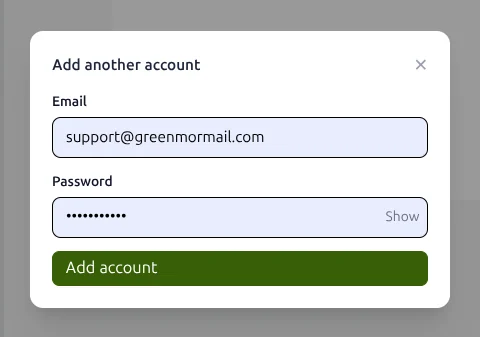
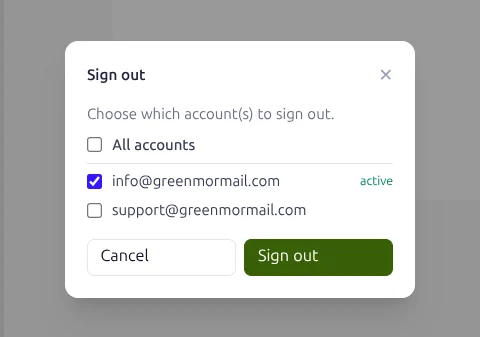
Sign into every mailbox you look after, see each one’s unread count, and move between them without signing out — then sign out of one, some, or all of them.
Backup and restore
Export any folder to a zip of standard .mbox files, saved to your Drive. Put it back
whenever you like, with duplicates skipped by Message-ID.
Attachments up to 35 MB
Attach from your machine or straight from Drive. Anything over the limit is sent as a Drive share link instead of bouncing at the far end.
A day in the mailbox, step by step
Nothing here needs configuring before it is useful. This is the default behaviour of every GreenmorMail mailbox on the day it is created.
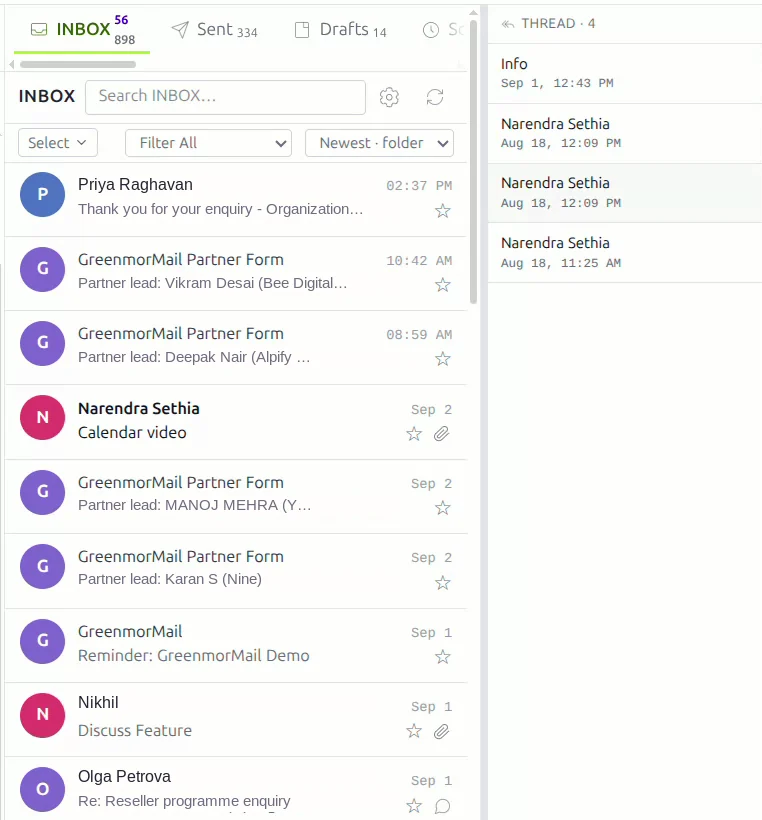
One conversation, not twenty replies
When somebody replies, the message joins the thread it belongs to rather than landing separately at the top of your inbox. The thread column shows every message in the exchange with its sender and time, so you can read the whole discussion in order — including the replies you sent.
It matters most on the long ones: a quote that went back and forth eleven times is one row in your list, not eleven.
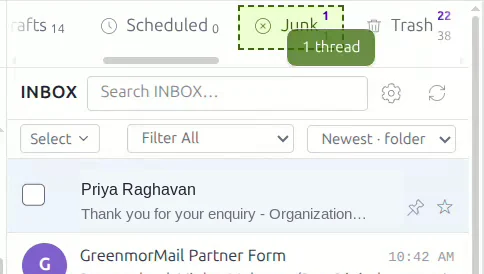
Filing is a drag and a drop
Pick the message up and drop it on the folder you want. The target folder outlines itself as you pass over it, the message count moves across as you let go, and the message is gone from the inbox — no right-click, no Move to… menu, no dialog.
It works for system folders and for any folder you have made yourself.
Write it like it matters
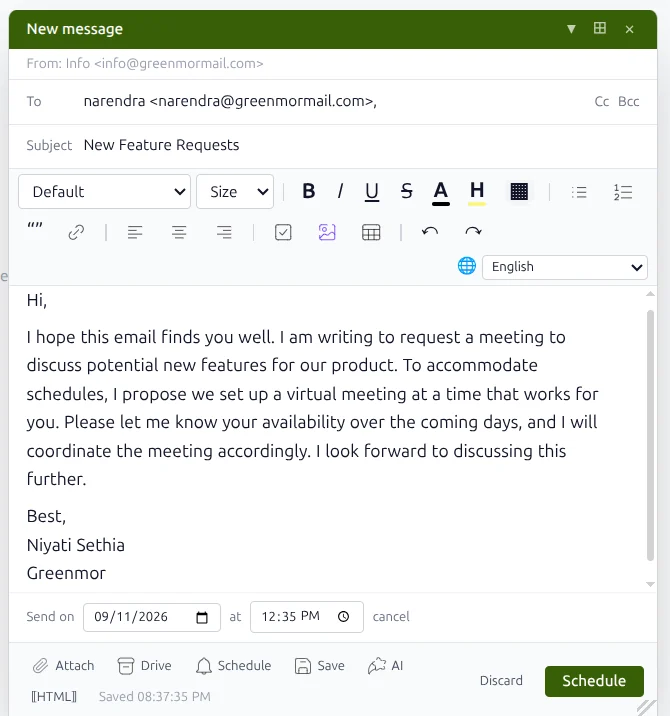
The composer is a proper editor, not a plain box: headings, bold and italic, ordered and unordered lists, links, tables, text colour and highlighting, images, quotes and a language selector for spell-checking.
There is no Save draft button to remember. Stop typing for a moment and it has already saved — the timestamp under the toolbar tells you when.
Send it later, without remembering to
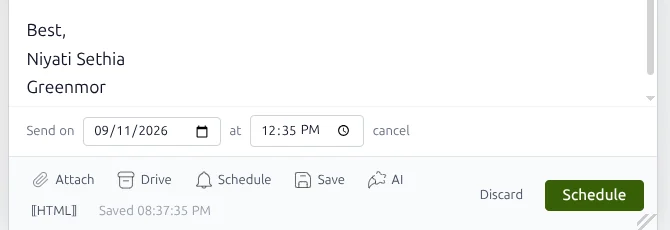
Attach from your computer or straight from Drive, then choose the date and time the message should leave. It sits in Scheduled until then, where you can still edit it or cancel the send.
Useful for writing across time zones, for not appearing to work at midnight, and for making sure a reminder lands on the morning it is needed.
As many addresses as the business needs
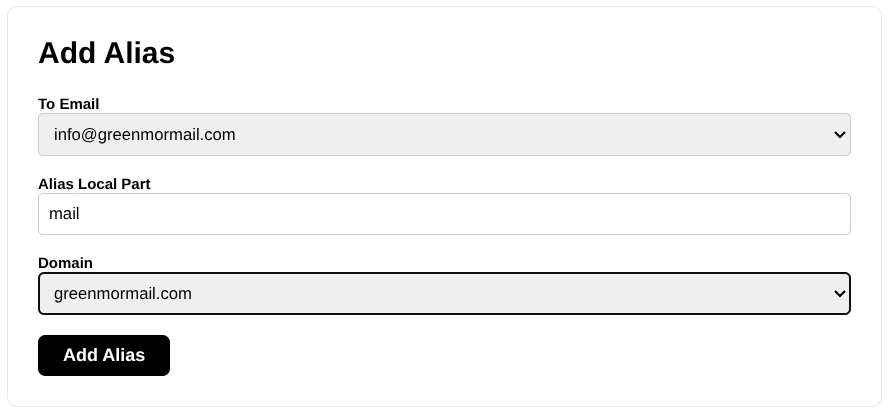
Pick the mailbox it should feed, type the part before the @, choose one of your domains, and the alias exists. sales@, accounts@, careers@, hello@ — add as many as you like at no extra cost.
Every alias delivers into the same mailbox, so there is one inbox to watch rather than five. Aliases are for receiving; you send as your own mailbox address, which is what keeps your domain’s sending reputation clean and your per-seat billing honest.
Bring your other mailboxes with you
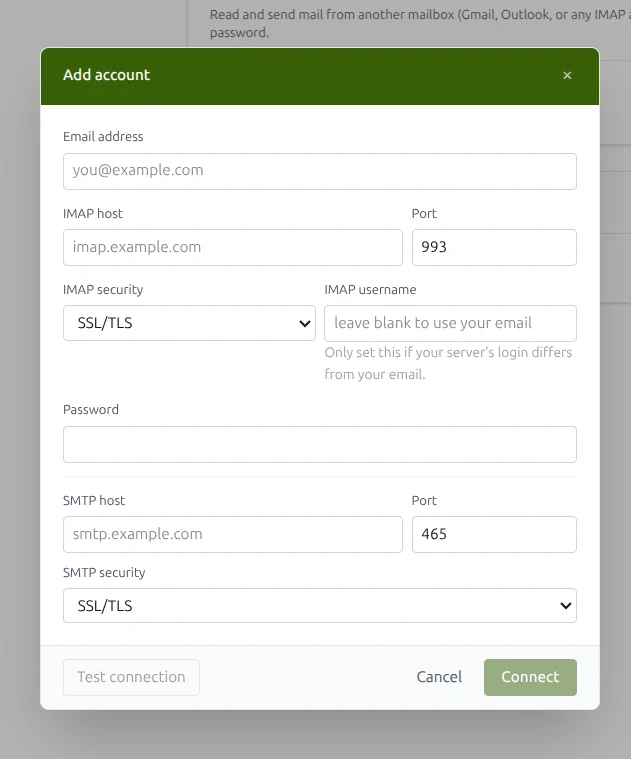
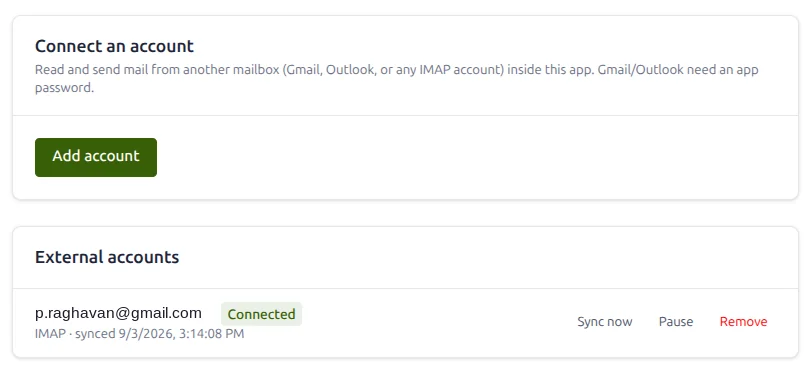
Moving is rarely instant. Connect the account you are moving from — Gmail, Outlook, or any IMAP host — with its server, port, username and password, and test the connection before you commit. Gmail and Outlook need an app password rather than your normal one.
Then it keeps itself current
Once connected, the account syncs quietly in the background and shows you when it last ran. Read and reply from here; pause the sync when you do not need it, and remove the account entirely when the migration is done.
For the people who look after several
Founders, office managers and agencies rarely live in one mailbox. Signing out and back in all day is not a workflow.
Sign into all of them
Add each mailbox once with its address and password. They stay signed in together.
See every unread count
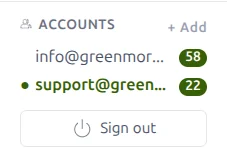
The switcher shows each mailbox and how much is waiting in it. One click moves you across.
Sign out on your terms
Leave the one you are in, tick a few, or close every account at once on a shared machine.
Your mail is yours to take away
An email host that makes leaving difficult is telling you something. GreenmorMail exports to an open format, on demand, from inside the mailbox.
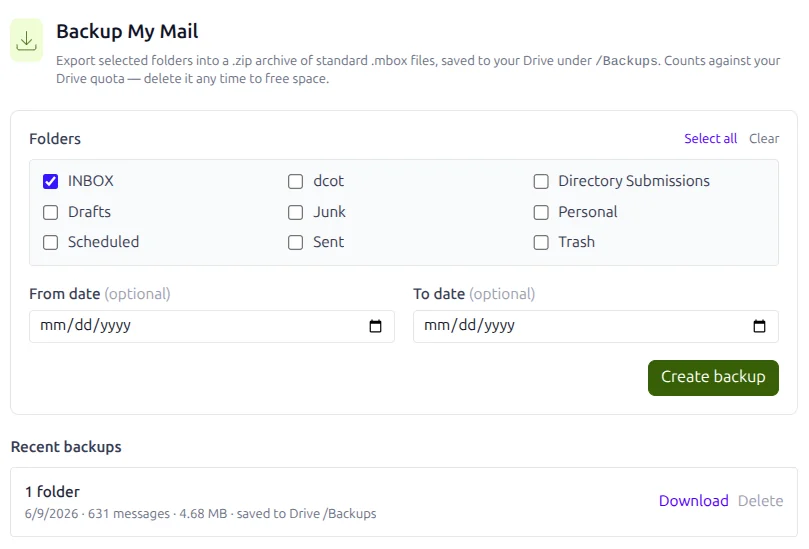
Export what you choose
Tick the folders you want — or all of them — and optionally narrow it to a date range.
The export is a zip of standard .mbox files, the format every mail client understands,
saved straight into your Drive under /Backups.
It counts against your storage like any other file, and you can download it or delete it whenever you like. Recent backups are listed with their size and message count.
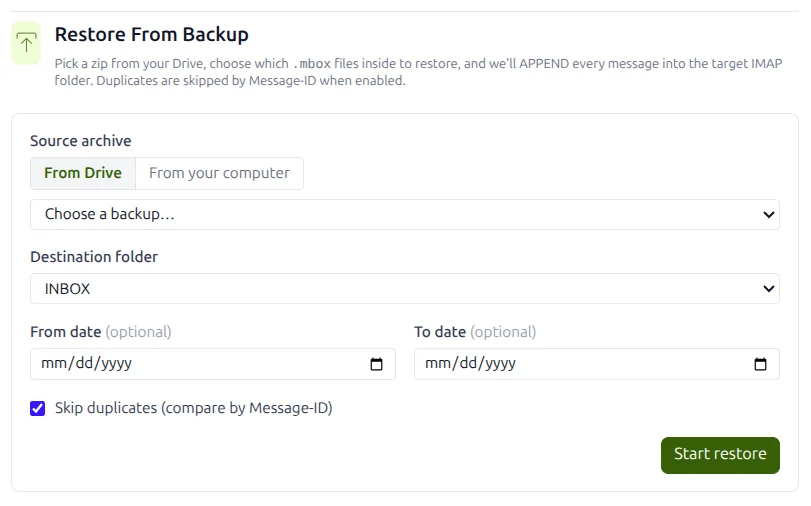
And put it back the same way
Choose an archive from your Drive or upload one from your computer, pick the destination folder, and every message inside is appended to it. Leave Skip duplicates ticked and anything already present — matched on Message-ID — is left alone, so restoring twice never doubles your inbox.
Frequently asked
How much storage do I get?
Every mailbox includes 15 GB, shared between your mail and your Drive files. You can see what is left in the sidebar as you work, and more can be added per mailbox when you need it.
Can I send from an alias?
No — aliases are for receiving. Mail addressed to any alias is delivered into your mailbox, but messages go out as your own mailbox address. That keeps your domain’s sending reputation attributable to a real, authenticated sender. If you need to send as a different address, connect that account under Connected Accounts and send through it.
Is there a limit on aliases?
No practical limit. Add as many as your business needs, on any domain you have verified, at no extra charge and with no extra seat to pay for.
How big can an attachment be?
Up to 35 MB per message, which is larger than most providers allow. Anything bigger is sent as a Drive share link instead, so the message still arrives rather than bouncing at the recipient’s server.
Will my existing mail come across?
Yes. Connect the old account over IMAP and it syncs into your mailbox in the background, keeping the original dates so your archive stays in order. You can keep both running while you move, then remove the connection when you are done.
Are there ads in the mailbox?
None. GreenmorMail is paid for by its subscribers, not by advertisers, so your mail is not scanned to profile you and nothing is sold on the back of it.
What format is the backup in, and can I read it elsewhere?
A zip of standard .mbox files — the same format Thunderbird, Apple Mail and most
migration tools import. Your export is readable without GreenmorMail, which is rather the
point.
Does a scheduled email still send if I close my laptop?
Yes. Scheduled mail is queued on the server, not in your browser, so it goes out at the time you chose whether or not you are online.
The rest of the suite
The mailbox is one part of it. These share the same login, the same contacts and the same 15 GB.
Try it on your own domain
Start a 14-day free trial, connect the mailbox you use today, and see how much of your working day the ordinary things were quietly costing you.