
The thought arrives while you are reading your mail
So that is where it should go. Notes sits in the same window as your inbox — type a line and press Enter and it is saved, or open it up later into a proper note with headings, lists and links. There is no save button, no second app, and no copying anything across. And when a note turns out to be something else, it can leave as an email or as a meeting in your calendar.
- Saves as you pause
- Send as email or event
- Nothing extra to buy
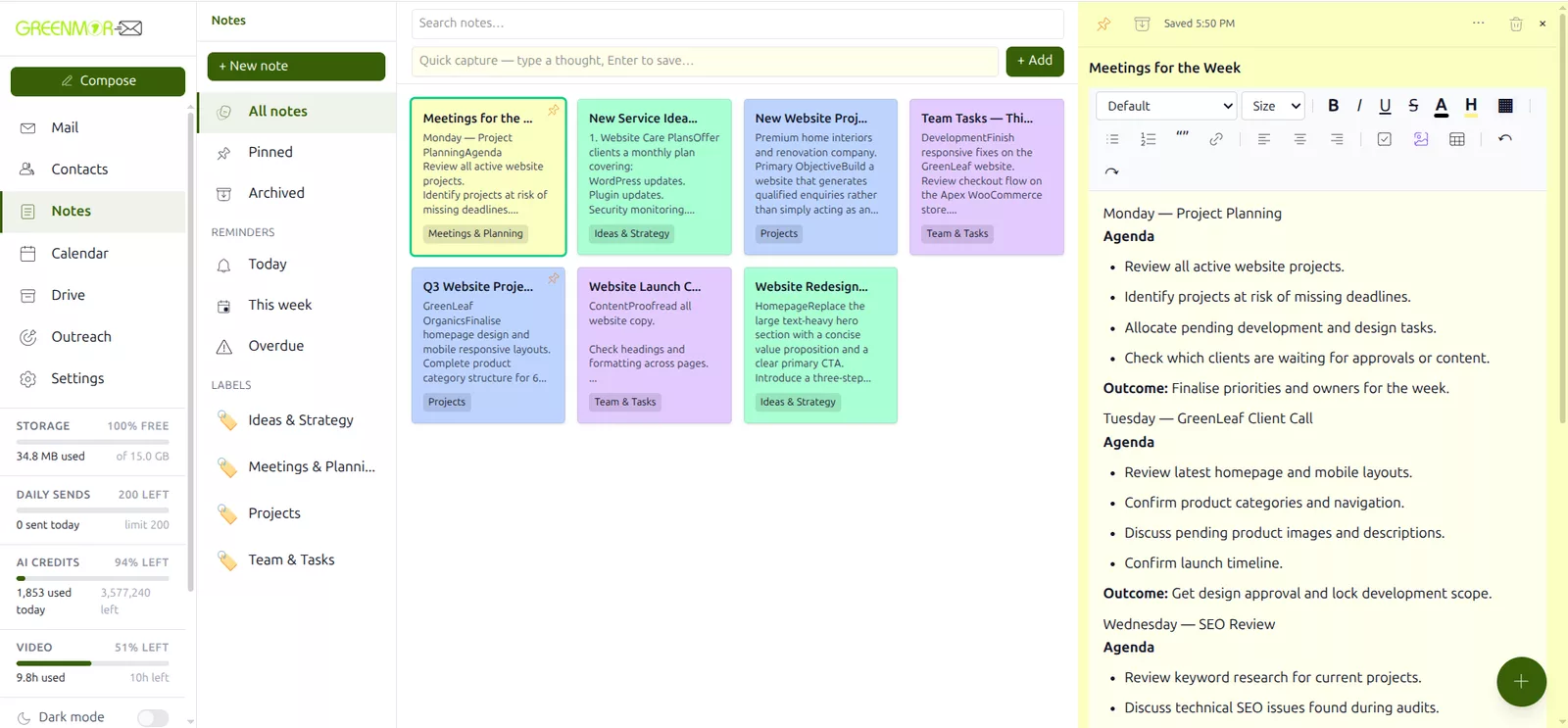
Every part of it, in under ninety seconds
Catching a thought from the quick-capture bar, writing it up properly while it saves itself, colour-coding and labelling it, setting a reminder, finding it again weeks later, and sending it out as an email — every screen here is the real product.
1:19 · no sign-up needed to watch
The notes app you already have is in the wrong place
Most notes are made during something else — a call, a thread, a quote you are halfway through reading. If writing one means leaving what you are doing, you either lose the thought or lose your place. Neither is a good trade.
Beside the mail, not instead of it
Notes is a tab in the same app as Mail, Calendar, Contacts and Drive. One login, one window, and nothing to install. The thought you had while reading an email gets written down without the email going anywhere.
No save button to forget
Stop typing for a moment and it is already saved, with the time it happened shown at the top. Close the tab mid-sentence and the sentence is still there. Nothing is ever waiting on you remembering to keep it.
A note can become something else
Half the notes anybody writes are really a draft email or a meeting waiting to happen. Both are one menu away, and neither needs you to select, copy and paste anything.
Findable in three weeks
Colour, labels and full-text search across every note, so the thing you wrote in a hurry is still reachable when you cannot remember what you called it.
One line, one Enter, done
The fastest note is the one that costs you nothing to make. A single bar sits above your notes: type the thought, press Enter, carry on with what you were doing.

Catch it mid-call
You are on a call and something occurs to you. One line in the capture bar and it exists — no dialog to open, no title to invent, nothing to file. You never left the call, and you never left your mail.
Come back to it later and it opens as a full note, exactly where you left it.
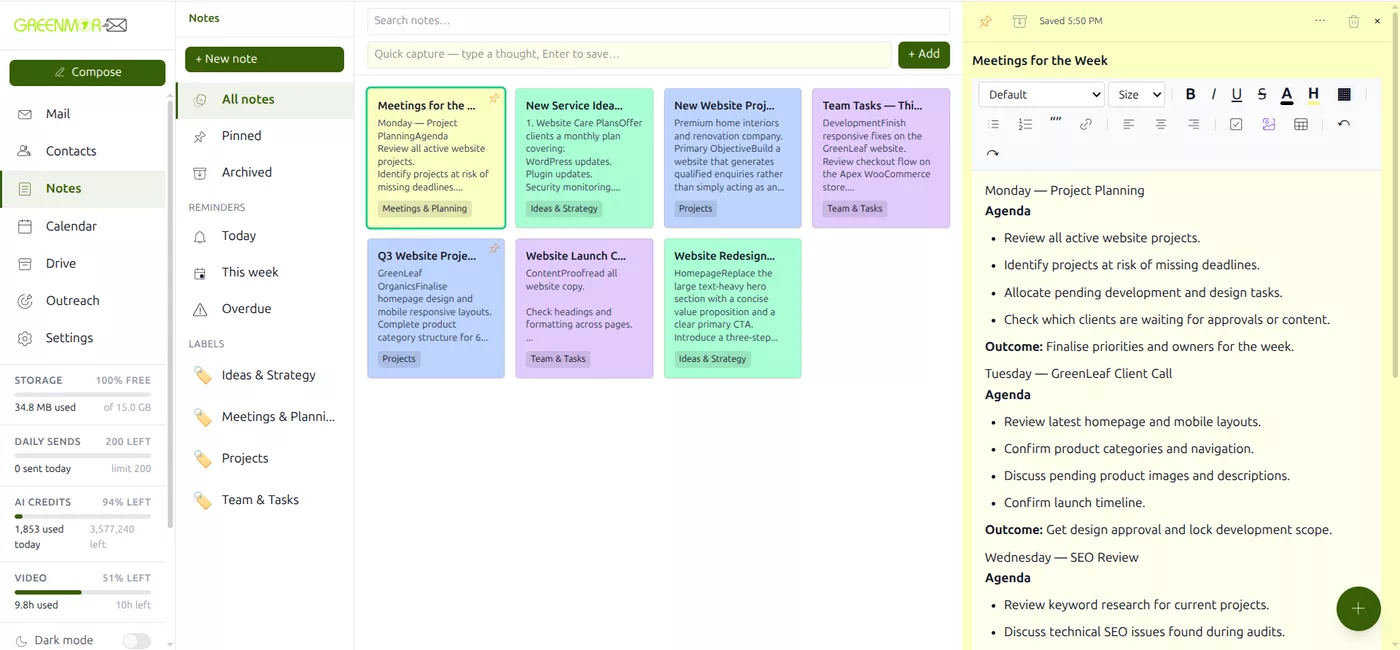
Everything on one board
Notes sit in a grid you can read at a glance, each in its colour and carrying its labels, with the pinned ones first. The left rail holds the scopes — all notes, pinned, archived — and your reminders and labels underneath.
Then make it a proper note
A captured line is a starting point. Open it and you have a real editor — headings, bullet and numbered lists, bold and italic, links, quotes, tables, checklists and images — and the whole time it is saving itself.
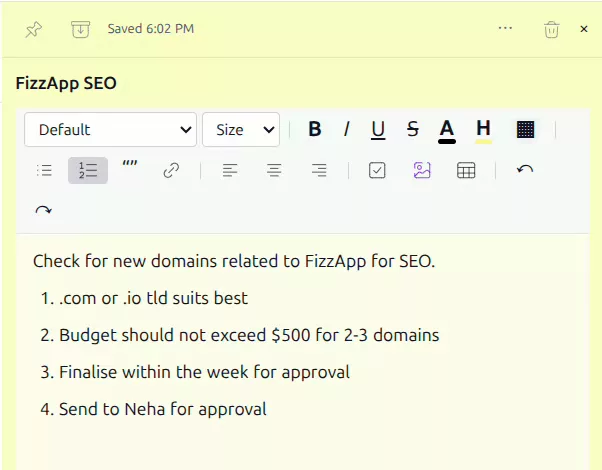
There is no save button
Stop typing for a moment and it is saved, with the time shown at the top of the note. That is the whole mechanism — no button, no prompt when you navigate away, and no version of this note that only exists in the tab you are about to close.
A running word count and reading time sit along the bottom — and images can be pasted or dragged straight into the body, or pulled in from your Drive.
Findable in three weeks, not just today
Three ways to get back to something, which between them cover how people actually remember: what it looked like, what it was about, and roughly what it said.

Colour it
Eight colours, one click, and the whole board becomes readable at a glance. Most people land on a private code within a week — yellow for clients, blue for ideas, red for the thing that is actually on fire — and after that they stop reading titles altogether.
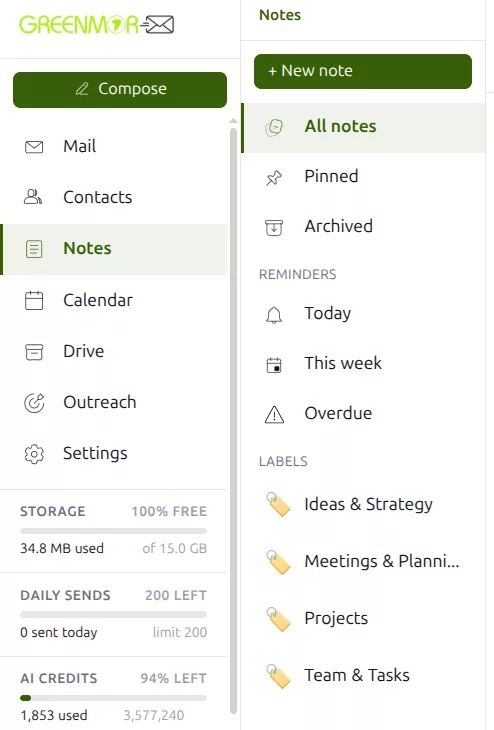
Label it
Type labels as you go — a client, a project, a quarter — and every one you use turns up in the rail. Click one and the board narrows to it, which is how you pull up everything for a single account without having filed anything into folders.
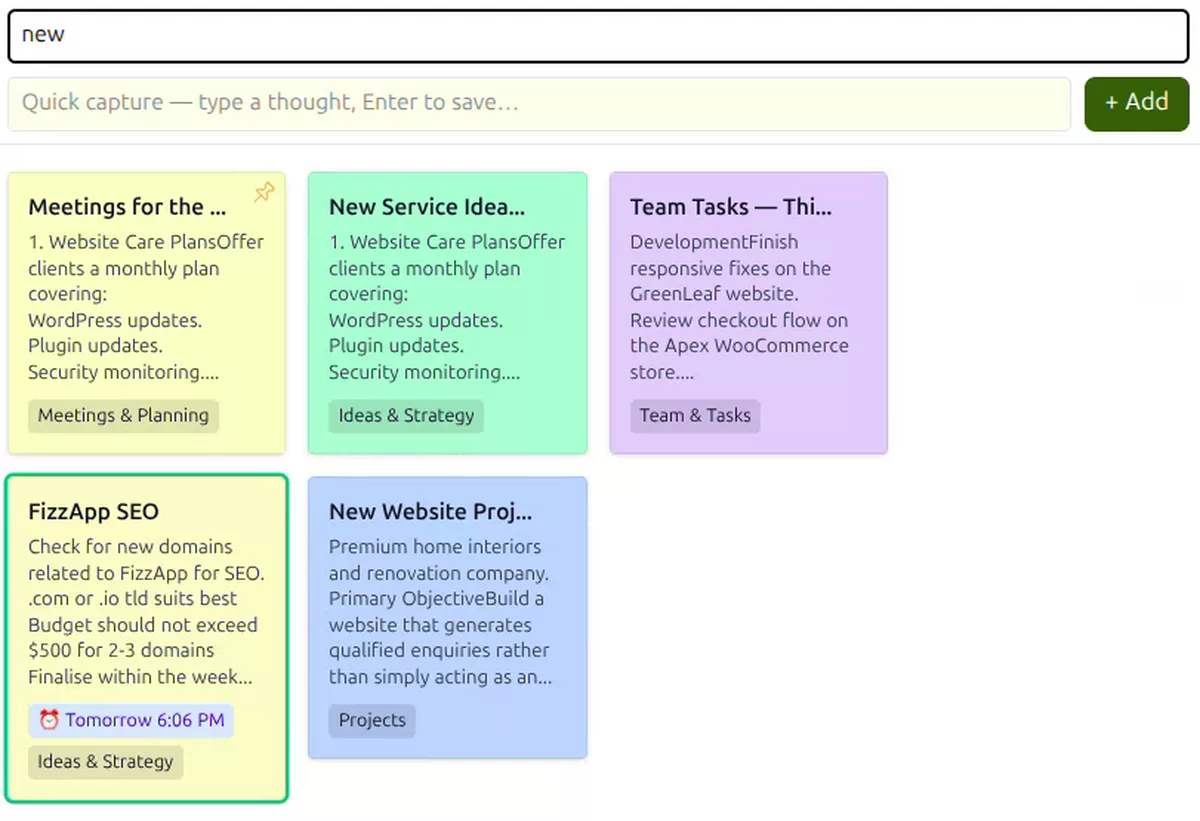
Or just search it
Three weeks later you will not remember the title. Type a word you know was in it and the board narrows as you type, across every note you have. That is usually faster than remembering where you would have filed it.
Pin the two or three you are living in right now, and archive the rest — archived notes stay searchable.
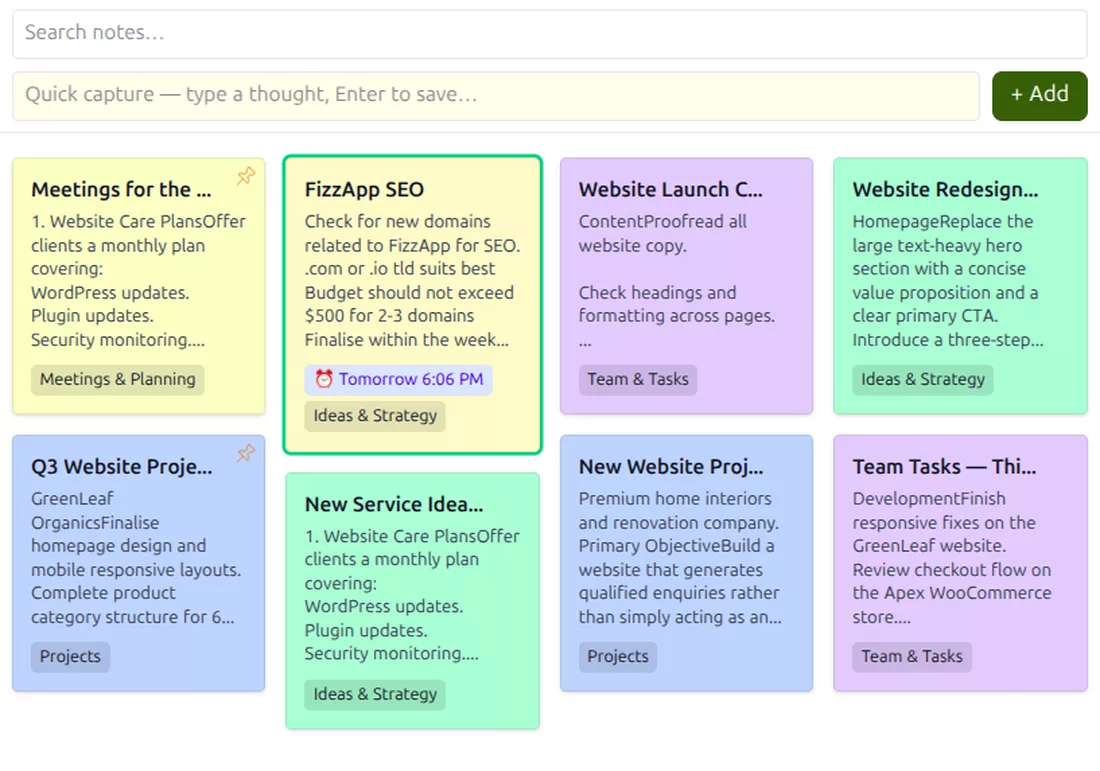
Pin what matters, archive the rest
Pinned notes stay at the top of the board. Archiving clears a note out of the way without deleting it — it keeps its colour, its labels and its text, and it still turns up in search when you need it. Deleting is separate, and it asks first.
A note that comes back to you
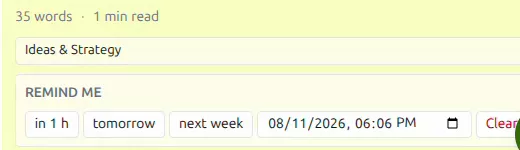
Some notes are really a task with no home. Give one a reminder and it stops depending on you noticing it again.
In an hour, tomorrow or next week are one click each, or pick an exact date and time. When it is due, the reminder reaches you as a browser notification and as an email — the notification is the fast one, the email is the one that still arrives when the browser is closed.
The rail keeps a running count of what is due today, what is coming up this week and what is overdue, so nothing quietly slides into the past.
Clear a reminder at any time without touching the note itself.
A note needn’t stay a note
This is the part a standalone notes app cannot do. Because Notes lives inside your mailbox, what you wrote can leave as an email or land in your calendar — without you selecting, copying and pasting a single line.
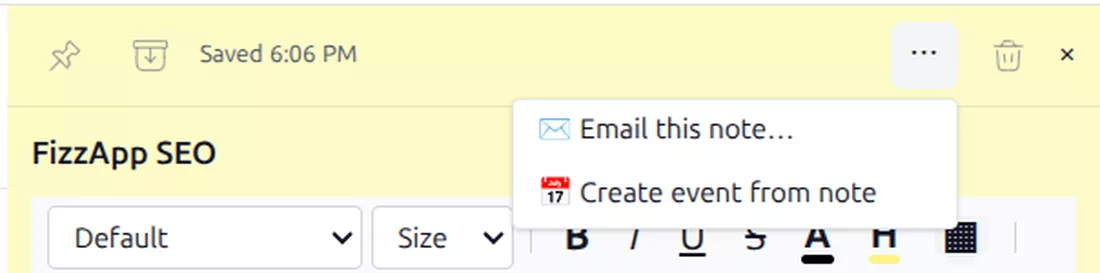
Two ways out, one menu
Email this note turns it into a message. Create event from note opens your calendar with the title and the text already carried across, ready for a time and the people who need to be there. Whatever you wrote is the starting point either way.
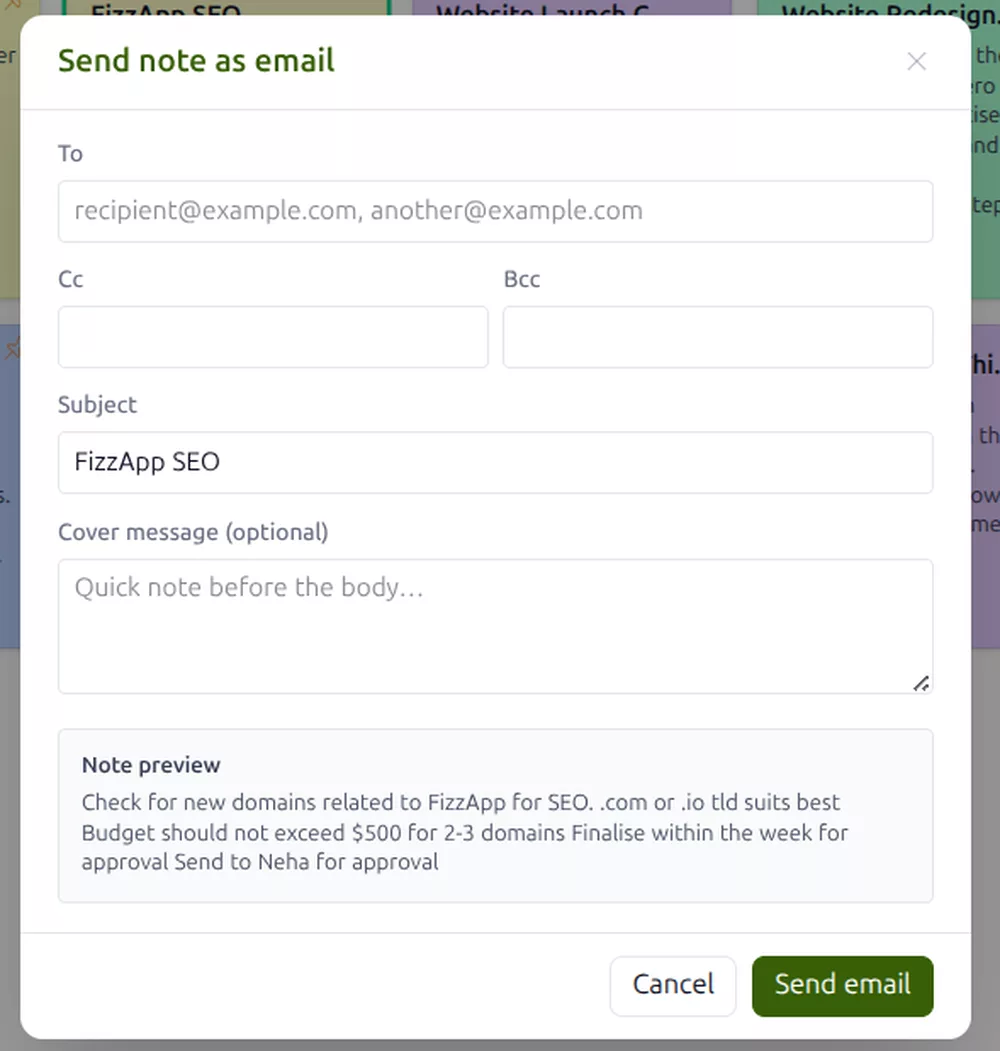
The note becomes the email
Choose who it goes to — with cc and bcc if you need them — keep the note’s title as the subject or write a new one, and add a line at the top if it needs context. The note itself becomes the body, and it goes out from your own address like any other mail.
A preview of exactly what will be sent sits in the window before you send it.
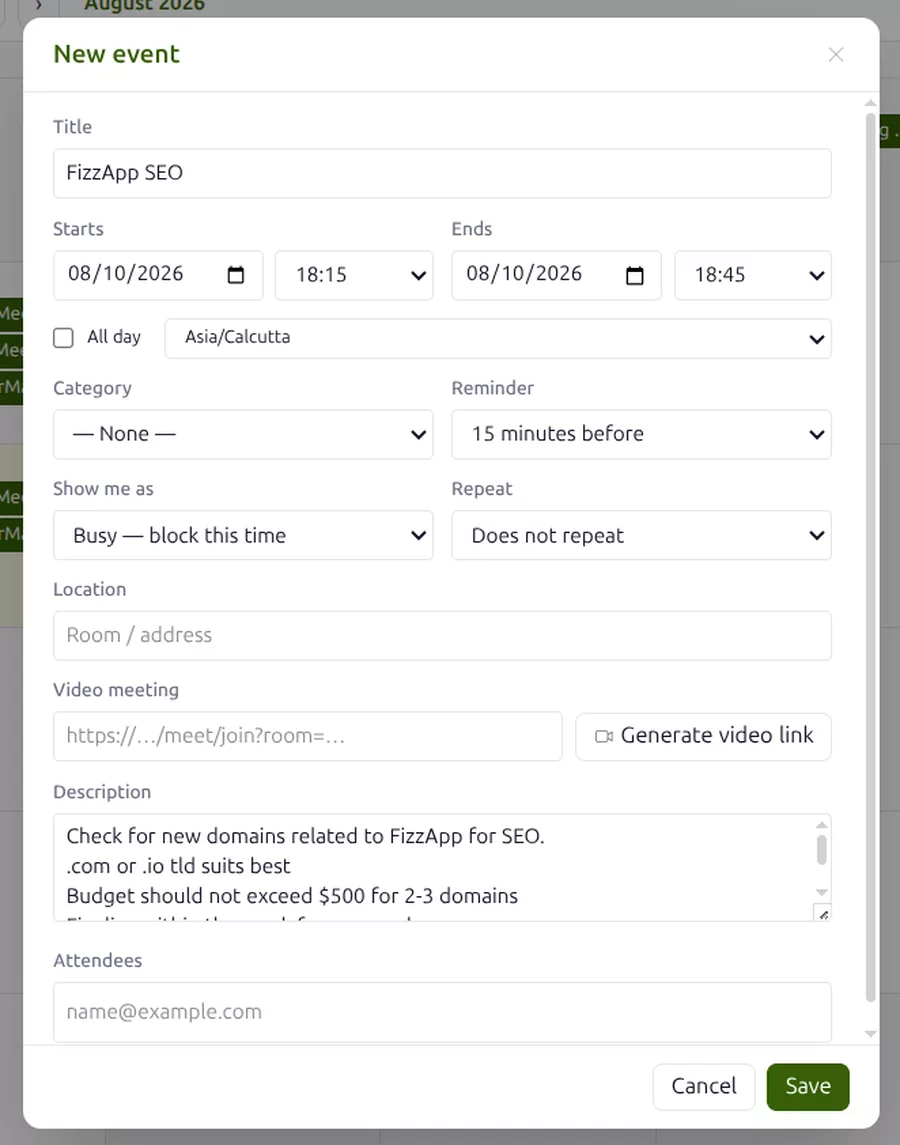
Or it becomes a meeting
Half the notes anybody writes are really an agenda. Create event from note opens a new event in your calendar with the title and the text already carried across, so all that is left is a time and the people who need to be there.
It is the same calendar as the rest of your mailbox — nothing to sync, and the note stays where it was.
Frequently asked
Is Notes an extra I have to pay for?
No. Notes, reminders, labels and sending a note as an email are part of every GreenmorMail mailbox, with nothing to add to the bill and nothing to switch on per user. All of it is available during the 14-day free trial.
Do I have to remember to save?
No, and there is no button to press. Pause for a moment and the note is saved, with the time shown at the top. If you close the tab mid-sentence the sentence is still there when you come back.
What can I actually put in a note?
Formatted text — headings, bold and italic, bullet and numbered lists, checklists, quotes, links and tables — and images, either pasted and dragged straight in or pulled from your Drive. It is a real editor, not a plain text box.
How do reminders reach me?
Two ways at once: a browser notification on the devices where you have allowed them, and an email to yourself. Set one for an hour, tomorrow or next week with a single click, or pick an exact date and time. The left rail counts what is due today, this week and overdue.
Can I email a note to someone?
Yes. Pick the recipients, with cc and bcc if you need them, keep the note's title as the subject or write your own, and optionally add a covering line. The note becomes the body of the message and it is sent from your own address. You see a preview of it before it goes.
Can a note become a meeting?
Yes. Create event from note opens the calendar with the note's title and text already filled in, so you only add the time and the people. It is the same calendar as the rest of your mailbox, so nothing needs syncing.
What happens when I archive a note?
It leaves the main board but nothing is lost — it keeps its colour, labels and content, still turns up in search, and has its own Archived view. Deleting is a separate action and it asks you to confirm first.
Are my notes private?
Notes belong to your mailbox and are not shared with anyone unless you deliberately send one as an email. There is no advertising and no profiling anywhere in GreenmorMail, and your notes are not read to build a profile of you.
The rest of the suite
Notes shares the window with all of these — the same login, the same contacts and the same 15 GB.
Write the next one where you will find it
Start a 14-day free trial, catch a thought from the capture bar without leaving your inbox, and see how long it takes before you stop opening a separate notes app.