
Every GreenmorMail feature, in one place
Mail, outreach, AI, calendar, Drive, discussions, notes, video meetings and security — one window, one login, your own domain. Nothing to install, nothing to connect to anything else, and no advertising anywhere in it. Every app below has a page of its own with the real screens and a short tour.
- No ads and no profiling
- 15 GB shared by mail and Drive
- India, EU or US data region
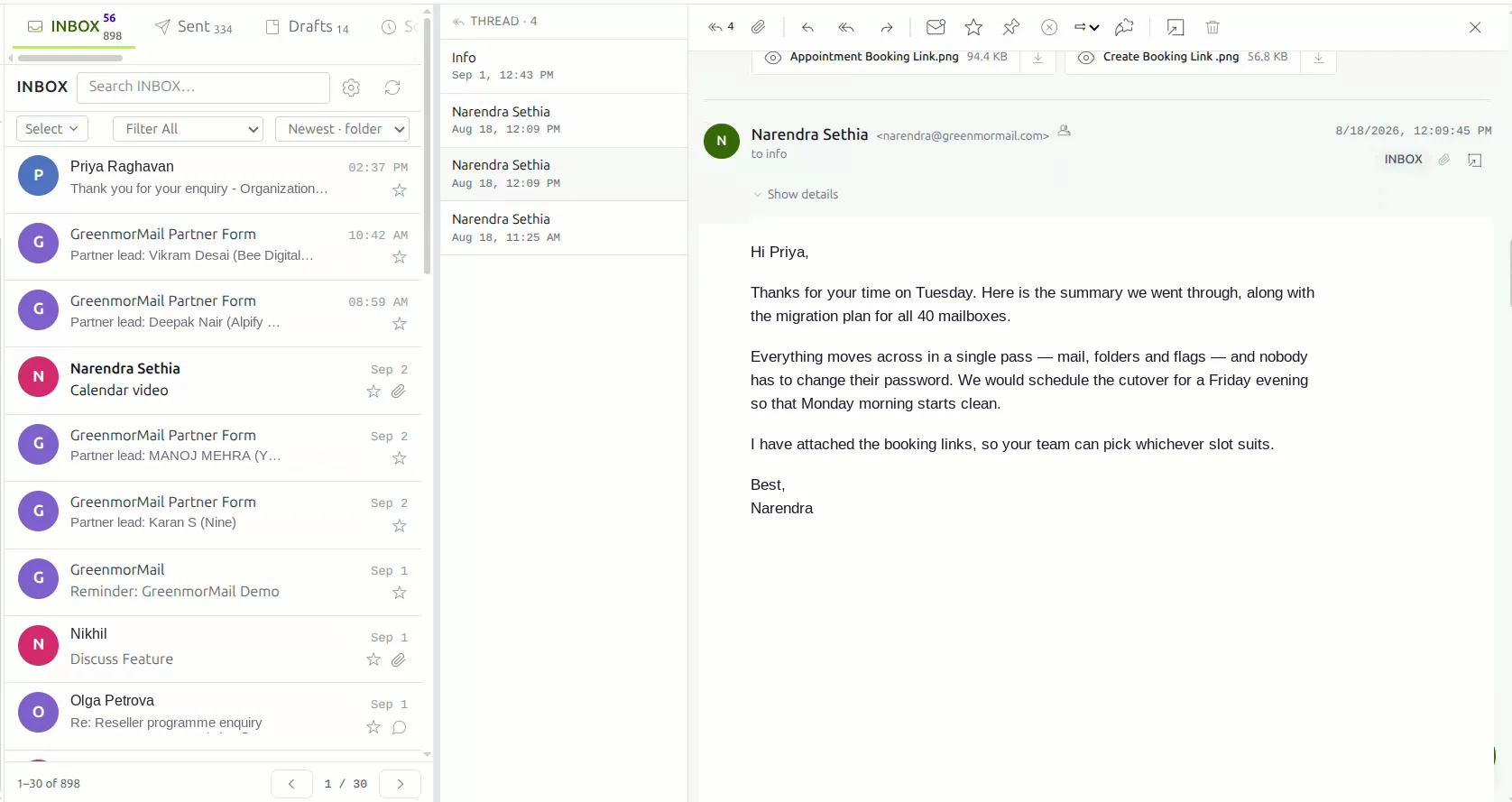
Nine apps that already know each other
They are not nine subscriptions bolted together. They share one login, one contact list, one 15 GB of storage and one window — so a note becomes an email, an email becomes a meeting, and a file never has to be attached twice. Open any of them for the full detail.
Business email that works the way you already do
The everyday part, done properly: a conversation stays a conversation, filing is a drag, and the composer keeps what you wrote whether or not you meant it to.
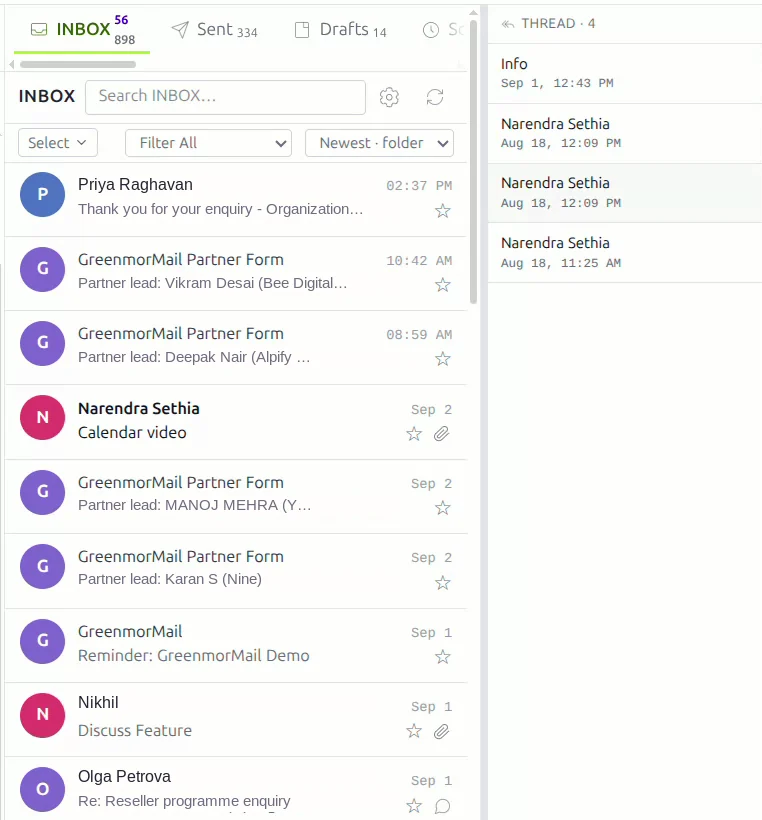
Threads, filing, aliases and other mailboxes
Replies gather under one subject in the order they happened, so a discussion reads as a discussion. Messages move between folders by dragging, and files attach the same way.
- Threaded conversations, with a “with discussion” filter beside unread and starred
- A rich composer that autosaves, and scheduled send queued on the server — your machine can be off
- Unlimited receiving aliases on any domain you have verified; you send as your own address
- Connect Gmail, Outlook or any IMAP account and read it all in one place
- Several mailboxes signed in at once, each with its own unread count, and sign out of one at a time
- Attachments up to 35 MB a message; anything larger goes out as a Drive link instead of bouncing
- Back up and restore standard
.mboxarchives, with duplicate messages skipped
Prospecting and campaigns, inside the mailbox
Most teams pay for a sending tool that has no idea what is in their inbox. Here the list, the sequence, the sending and the replies are all in the same account — so a reply stops the follow-up because it is the same mailbox that received it.
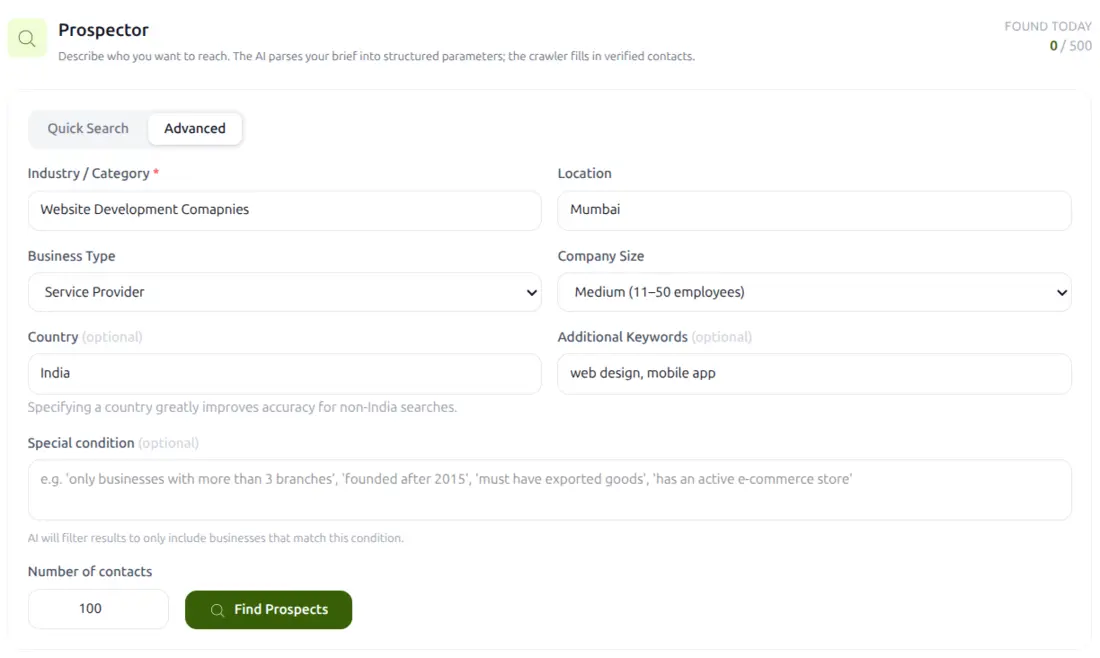
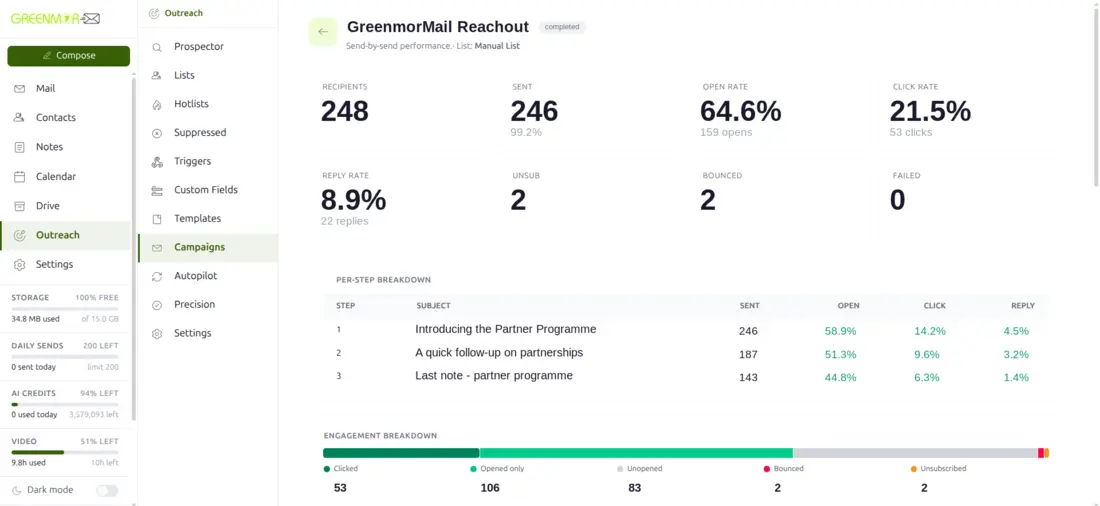
Find them, write to them, see what came back
Build a list by role, industry, location and company size, or import one and have it checked for syntax and a working mail exchanger before a single message goes out.
- Multi-step sequences with conditional follow-ups that stop the moment someone replies
- Precision writes a different opening line for each contact instead of one merge field
- Autopilot runs the prospecting and the sending on a schedule, with approval gates if you want them
- Paced sending inside a delivery window, so it looks like a person sending mail
- Automatic hotlists of the people engaging, and permanent suppression of the people who asked you to stop
- Opens, clicks, replies, bounces and unsubscribes, per step
- Website triggers that enrol someone the moment they fill in your form
Outreach is bound by our Anti-Spam Policy and by a daily sending limit on every mailbox. Both exist to keep your domain deliverable — a mailbox that sends more than it should is the fastest way to end up in a spam folder.
Your model, your key, no markup
Most mail providers sell you their AI at their price. Here you can point the assistant at your own account with your own API key and pay the provider directly — or buy credits from us if you would rather not deal with keys at all.
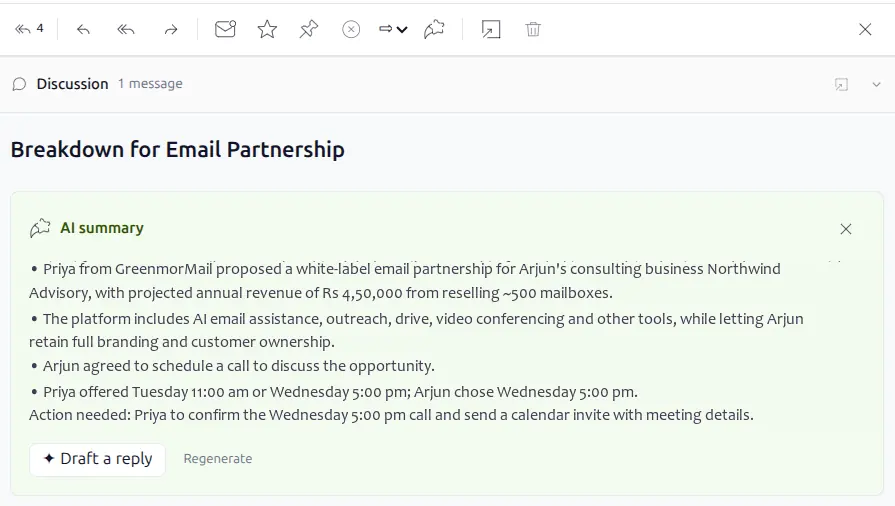
Summarise, draft, compose, shorten
Turn a long thread into a few lines that end with what is outstanding and who owes it, then draft the reply from that summary in one click. Write a whole email from a single line of instruction, or let Smart Compose finish the sentence you are already typing.
- Eight providers supported, including any OpenAI-compatible endpoint and a self-hosted model
- Separate base and premium model tiers that you name yourself
- Keys verified when you add them, then stored encrypted
- Every call logged with the model, the tokens and the cost
- Switched on per mailbox by an administrator — it is not on by default for everybody
- 200,000 tokens included with every mailbox to get started
- The same engine writes Outreach campaign copy, per-contact openings and follow-ups
Scheduling, booking links and tasks in the same window
The calendar is a tab, not another site. It uses the same contacts as your mail, and a meeting you create can carry its own video room without going anywhere else for a link.
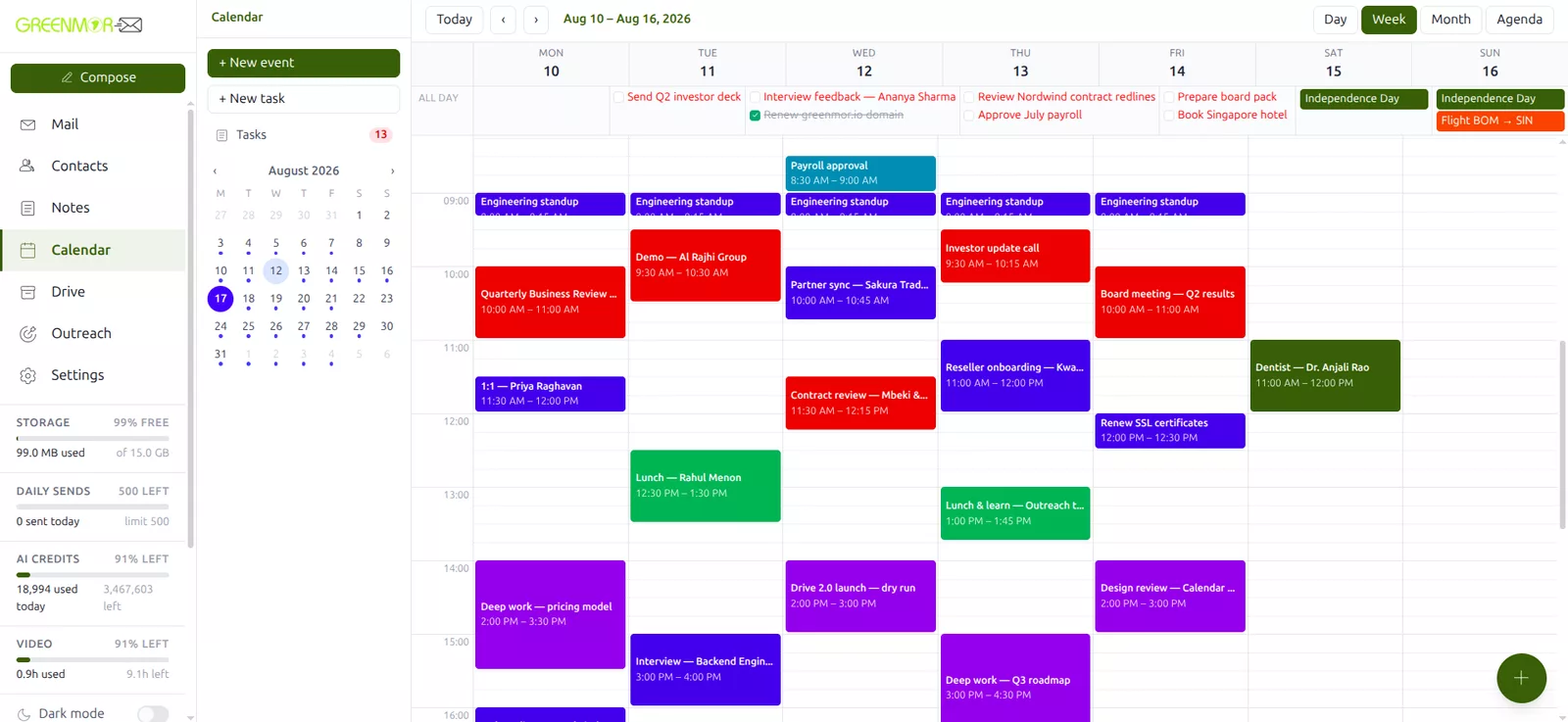
Four views, real invitations, real free time
Day, week, month and agenda, with the default view, the mobile start view, the first day of the week and 15, 30 or 60-minute granularity all yours to set.
- Categories and colours, recurrence daily, weekly, weekdays, monthly or yearly
- Reminders from five minutes to a day before, delivered by browser notification and email
- Every event is busy or available — only busy time blocks you
- Guests accept, say maybe or decline from their own inbox, with no account here
- Booking links you can share or embed on your own site, offering only genuinely free slots
- Minimum notice, buffers either side and a daily cap, so the link cannot fill your day
- Tasks with due dates, priorities and status, in the same views, still showing when overdue
Files beside your mail, on the same storage
Not a separate storage subscription with its own login and its own bill — the same 15 GB your mailbox uses, in the same window, reachable from the composer.
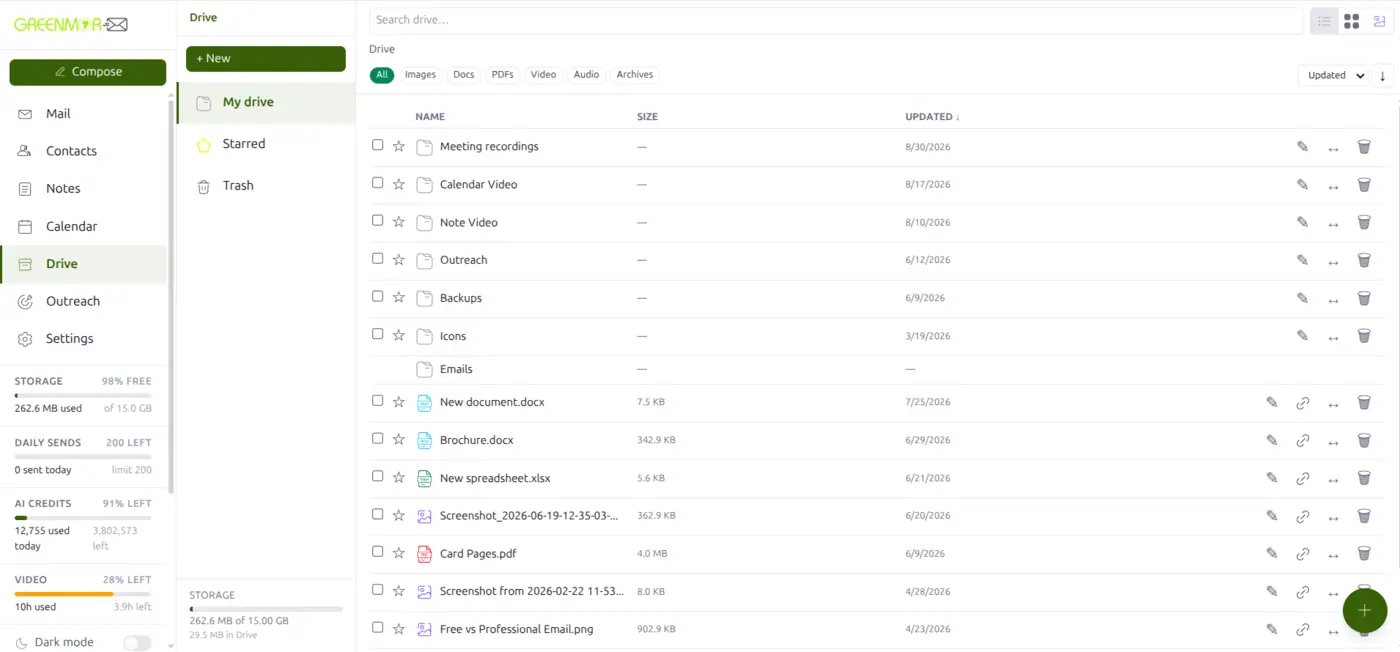
Upload, find, share — and edit without downloading
Documents, images, PDFs, video, audio and archives up to 2 GB a file. Anything over 8 MB goes up in resumable chunks, so a dropped connection does not start it again, and everything is scanned for malware before it is stored.
- Search by name, filter by kind, sort by name, size or date, star what you keep returning to
- Select several and download them as one zip, move them together, or trash them together
- Share a file or a whole folder as a link, with an optional password and an optional expiry
- Name the GreenmorMail users who may edit the same file live with you
- Word documents and spreadsheets open in the browser and save straight back — tables, images, formulas, filters, charts
- Over-sized email attachments can leave as a Drive link instead of failing
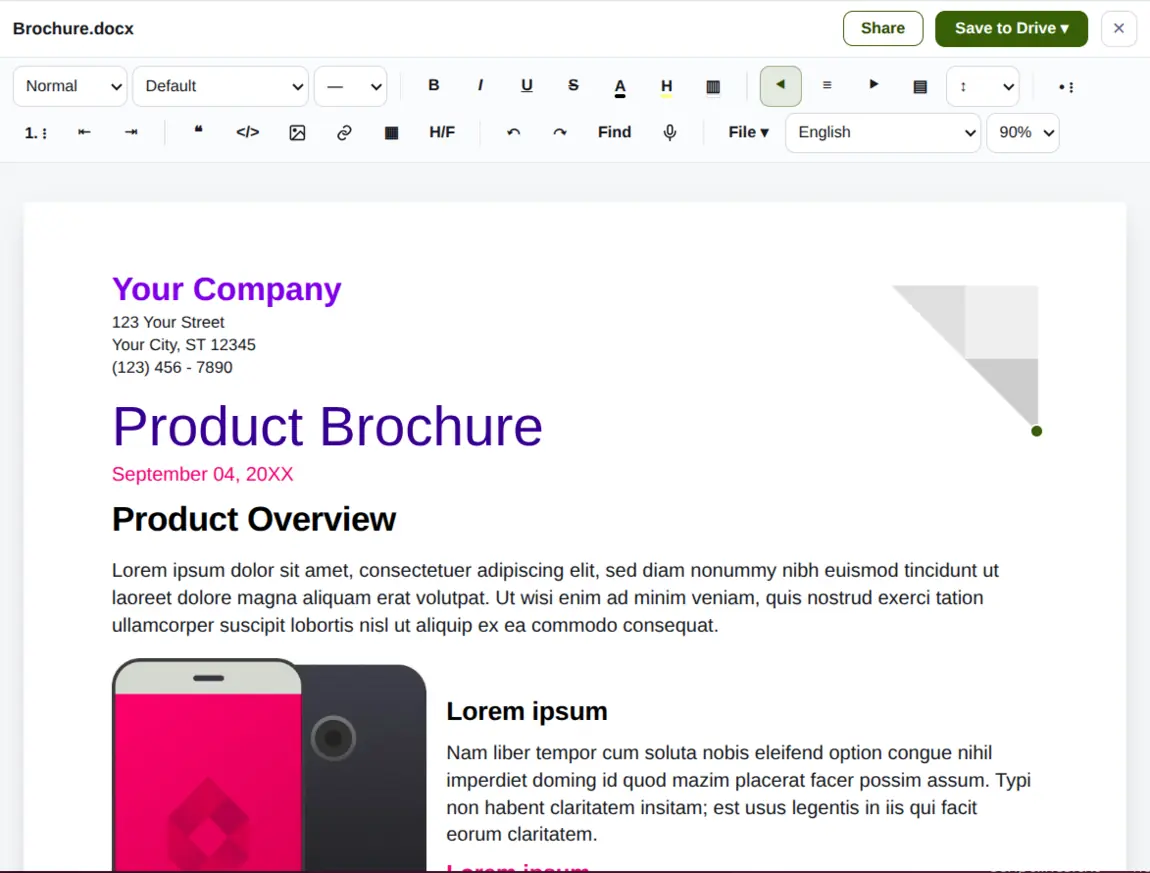
Documents
Headings, styles, tables, images and page layout, edited in the browser and saved back to Drive in the same file everyone else is reading.
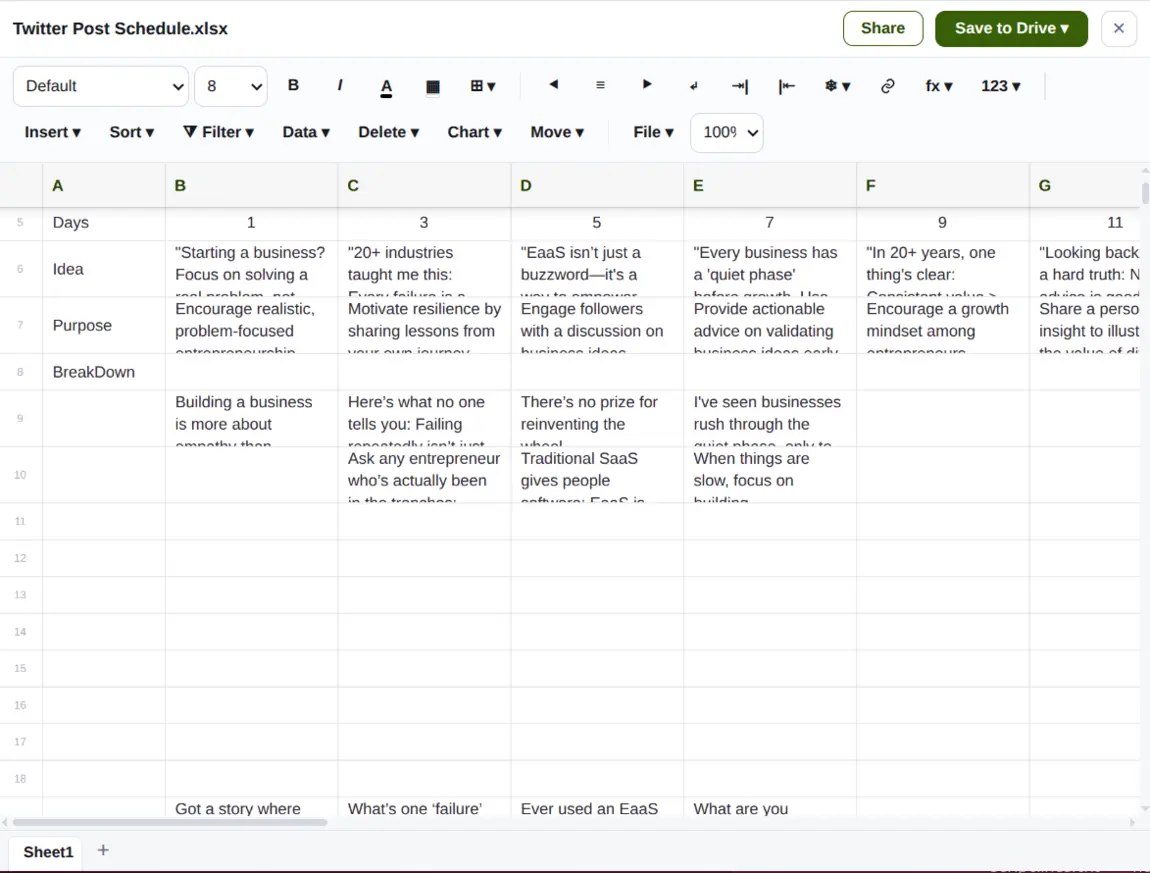
Spreadsheets
Formulas, sorting, filtering and charts on a real grid — enough to keep a working sheet working, without exporting it anywhere.
Talk about an email, on the email
The conversation your team needs to have about a message does not belong in a forward, a reply-all or a separate chat app where nobody can find it again. It belongs on the message.
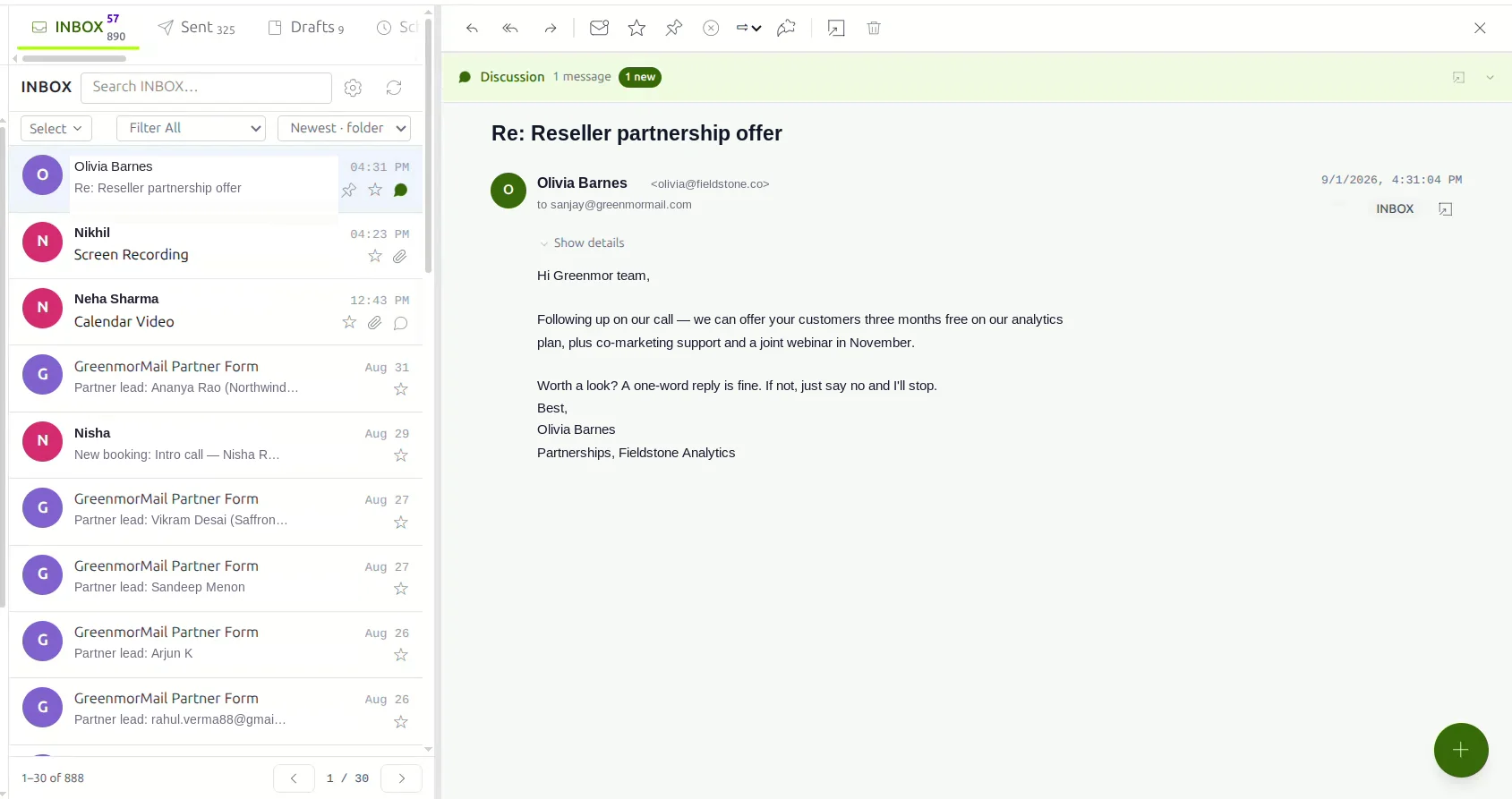
Private to your side, attached to the message
Open a discussion on any email and talk it through with the colleagues who need to be in it. It is never attached to the email, never quoted in a reply and never delivered anywhere — the sender has no idea it exists.
- Private to the people you name, or open to everyone on your domain
- Participants suggested from your contacts, and given the whole history when they join late
- Rich text, attachments and emoji, updating live
- An unread flag on the message itself, and a “with discussion” inbox filter
- Works across the India, Europe and United States regions
Catch the thought without leaving your mail
Most notes are made in the middle of something else. If writing one means leaving what you are doing, you lose either the thought or your place.
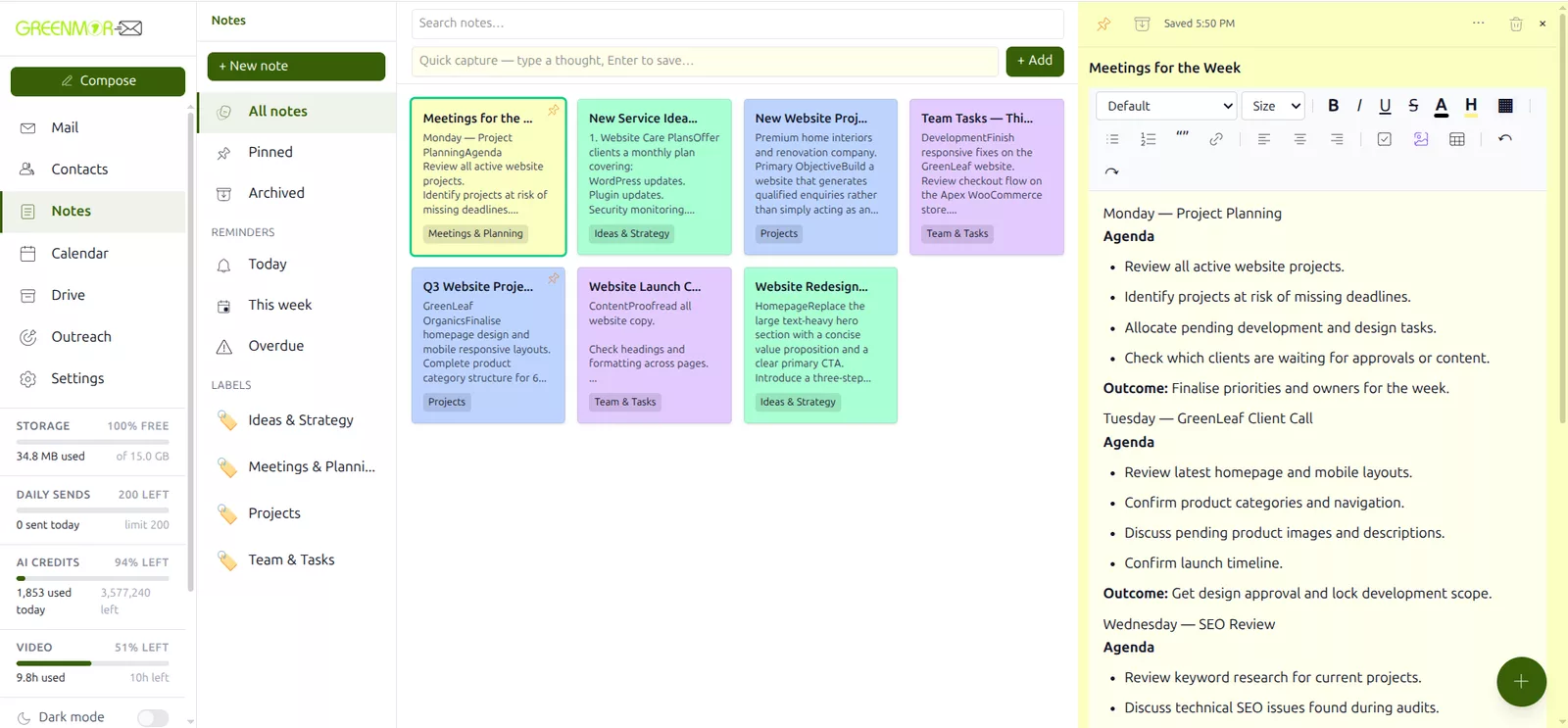
One line and Enter, or a proper note
A capture bar sits above your notes: type the thought, press Enter, carry on. Open it later into a real editor — and there is no save button, because pausing is the save.
- Headings, lists, checklists, quotes, links, tables and images pasted, dragged or pulled from Drive
- Autosave on pause with the time shown, plus a live word count and reading time
- Eight colours, free-form labels and full-text search as you type
- Pin the ones you are living in; archive the rest without losing them
- Reminders in an hour, tomorrow, next week or at an exact time, by notification and email
- Send a note out as an email, or turn it into a calendar event, with the text already carried across
Meetings that start as an invitation, not a pasted link
Switch a video meeting on while you are creating the calendar event and the room is made and attached there and then — so the time, the guests and the link are created together and cannot drift apart.
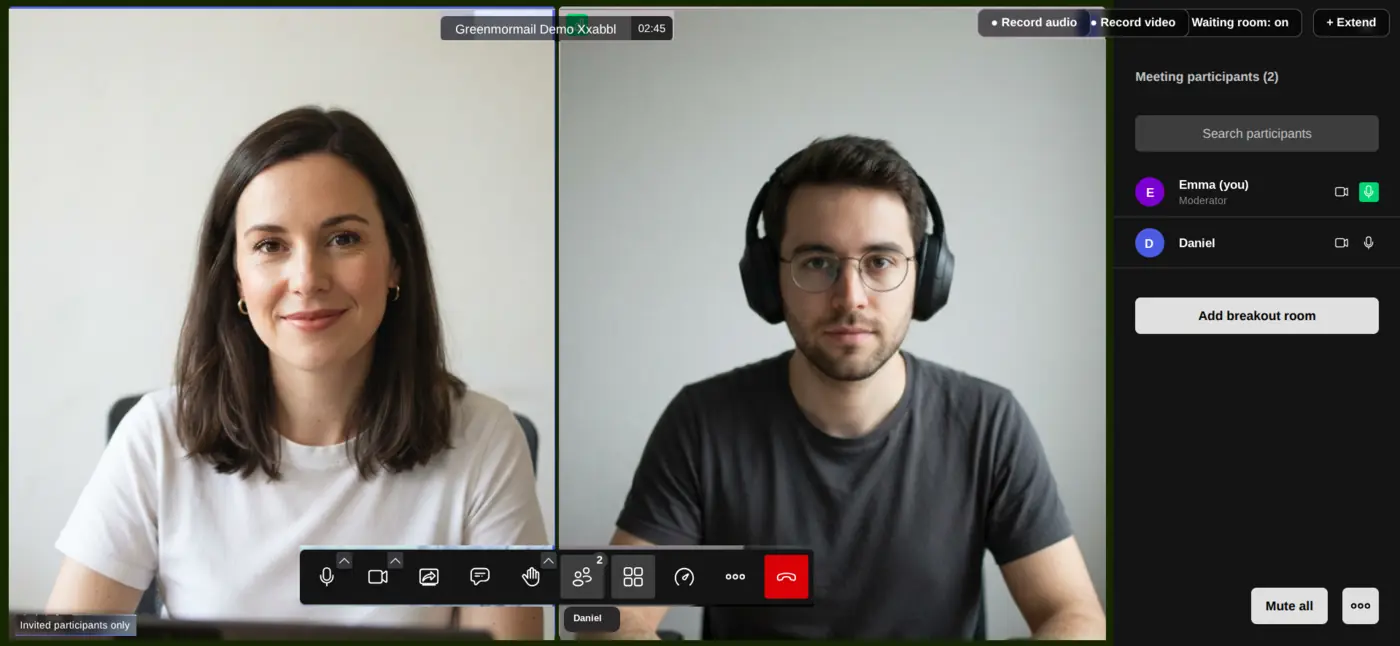
Guests just join. You keep the controls.
Everyone invited gets a proper invitation with a Join button and a plain link beneath it, and joins in whatever browser they already have — no account here, no download, no plug-in.
- Moderator controls: mute one person or everyone, turn a camera off, breakout rooms, raised hands, speaker or tile view
- Chat beside the call with reactions, publicly or privately, saved for you afterwards by room and date
- Share one browser tab, one window or the whole screen, with the tab’s audio
- Record audio, or audio and video, with a notice shown to everyone — the recording lands in the organiser’s own Drive
- Set the invitation to invited participants only and everyone waits in a lobby until you admit them
- Extend a call from inside it when it runs long, with the remaining balance shown first
Video calling is a paid add-on charged as meeting hours. Every account starts with ten hours free; after that, hours are bought from billing and never expire. The balance and your session history sit in Settings.
Four layers on the one account that unlocks everything else
Your mailbox is how every other account you own is recovered. It deserves more than a password, and it deserves a provider whose business model is your subscription rather than your attention.
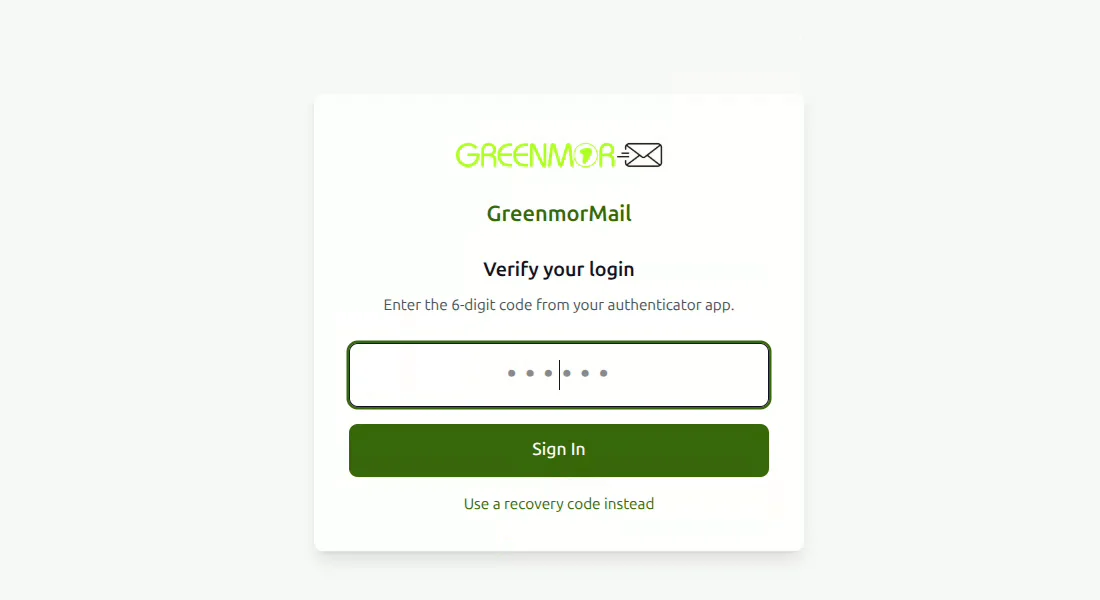
Sign-in, contents, arrivals and what is on screen
- Two-factor authentication with any authenticator app or a one-time code by email, eight single-use recovery codes, and an administrator setting to make it mandatory
- Encrypted mail using OpenPGP, with the key pair generated in your browser and a passphrase that never leaves it — switchable on for a whole domain
- Spam and viruses scored on arrival from content, sender reputation and SPF, DKIM and DMARC, learning from your corrections, with attachments and Drive uploads scanned
- Folder protection that locks a folder behind a separate master password, or hides it from the folder list entirely — useful the moment you share your screen
- No advertising and no profiling anywhere in the product. You are the customer, not the inventory
- Your data region chosen at sign-up: India, the European Union or the United States
However you want to reach it, and whoever you want it to look like
The web app is the fastest way in, but it is not the only way — and if you resell email, none of it has to say GreenmorMail at all.
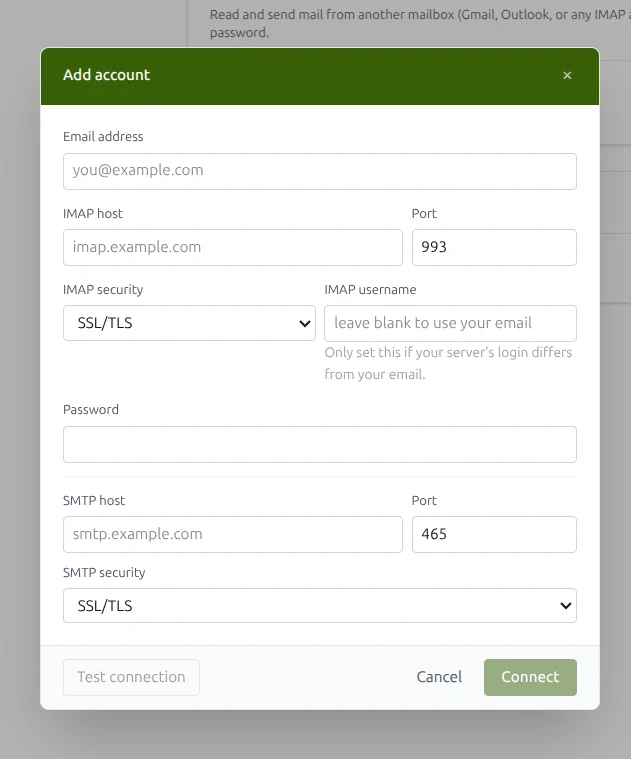
Web app, mail client, import, API and white-label
- Install from the browser on a phone or a desktop — a full web app, no app store
- IMAP and SMTP for Outlook, Thunderbird, Apple Mail or anything else, with the right host, ports and security for your region shown in Settings
- Bring your old mail across in bulk over IMAP, one mailbox at a time or a whole organisation at once, with dates preserved
- Connect Gmail, Outlook or any IMAP account and keep reading it here
- White-label the webmail and the web app with your own domain and logo, so your team or your customers sign in to something that looks like yours
- A provisioning API for partners who want to create domains and mailboxes from their own system, with test and live keys
One price per mailbox, and you add only what you use
Not tiers where the feature you want lives two plans up. Every mailbox gets the whole suite; storage, daily sending, AI and meeting hours are the things you can add, per mailbox rather than per organisation.
Shared by your mail and your Drive, and expandable in blocks on the mailboxes that need it.
Enough to try the assistant properly. After that, bring your own API key at no markup or buy credits.
Free with every account. More hours are bought from billing and never expire.
Sales, support and billing on your domain, all landing in one mailbox at no extra cost.
And anything larger leaves as a Drive link rather than bouncing back at you.
The whole suite, on your own domain, with no card needed to start.
Billing is annual and per mailbox, from about USD $1 per mailbox per month. Extra storage and extra daily sending are priced per block, per mailbox. The cost calculator on the home page will price your exact set-up in dollars or rupees.
The questions people ask before they move
Do I need my own domain?
Yes. GreenmorMail is business email on your own domain, so you attach a domain you own and we walk you through the DNS records. If your domain is somewhere you cannot reach, our support can tell you exactly what to ask for.
Is every app included, or are they separate products?
Mail, Contacts, Calendar, Drive, GMOffice documents, Notes, Discuss, Outreach and the AI assistant are all part of the mailbox, with nothing to switch on per user and nothing extra to buy. Video calling is the one exception: it is a paid add-on charged as meeting hours, and every account starts with ten of them free.
How much storage do I get, and is Drive separate?
Every mailbox has 15 GB, and Drive draws on the same pool rather than a second subscription. Mail you keep and files you upload both count toward it, and it can be expanded in blocks on the mailboxes that need more.
Can I use Outlook, Thunderbird or my phone's mail app?
Yes. Connect over IMAP and SMTP, and Settings › Mail App Setup shows you the exact host, ports and security to type in for the region your mailbox lives in. The web app can also be installed straight from a mobile or desktop browser without an app store.
Can I bring my existing mail with me?
Yes. The migration tool imports over IMAP in bulk, one mailbox at a time or a whole organisation in one go, and keeps the original dates so your archive still reads in order rather than all arriving today.
Where is my data stored?
You choose your region when you sign up: India, the European Union or the United States. Some limited metadata, backups and security logs may be handled across regions to run and secure the service, and mail in transit naturally crosses networks on its way to the recipient.
Do you show ads or profile my mail?
No. There is no advertising anywhere in GreenmorMail and nothing in your mailbox is read to build a profile of you. The subscription is the business model, which is the whole reason it can work that way.
What happens at the end of the free trial?
The trial runs 14 days with the whole suite on your own domain. If you decide against it, you do nothing and it stops; if you continue, billing is annual and per mailbox and you add storage, sending or meeting hours only on the mailboxes that need them.
Every feature, on a page of its own
Each of these has the real screens, a short walkthrough video and the honest detail — including what it does not do.
Try the whole suite for fourteen days
Attach your domain, make a mailbox, and see how much of what you are paying for elsewhere is already sitting in the same window as your mail.